
IHA Cloud

Author name: Shivam Pokhriyal

How Startups Accidentally Overpay 30–50% on Cloud Costs

How Startups Accidentally Overpay 30–50% on Cloud Costs 

Cloud platforms help startups move faster, scale easily, and avoid heavy upfront infrastructure costs. However, many startups are surprised when their cloud bills keep increasing every month—often 30–50% higher than necessary.  This does not happen because startups make bad decisions. It usually happens because cloud environments grow quickly without clear cost control. This article explains the most common reasons in simple terms and shows how startups can avoid unnecessary spending.  Why Cloud Costs Increase Without Notice  Cloud pricing is based on usage. This is flexible, but it also means small inefficiencies can silently add up. Without proper planning and monitoring, cloud costs can grow faster than the business itself.  Below are the most common reasons startups overpay.  1. Using Bigger Resources Than Needed  Many startups choose larger servers or databases assuming it will improve performance. In reality, most applications use only a fraction of the allocated capacity.  Common situations include:  This results in paying for capacity that is never used.  2. No Clear Ownership of Cloud Costs  In early stages, cloud costs are often shared across teams without a clear owner. When no one actively tracks spending, costs increase unnoticed.  Typical issues include:  By the time the bill is reviewed, overspending has already occurred.  3. Resources Running When Not Needed  Cloud resources continue to generate costs as long as they are running.  This often includes:  These hidden costs slowly increase the monthly bill.  4. Not Using the Right Pricing Options  Cloud providers offer multiple pricing models designed to reduce costs. Many startups use default pricing without exploring cheaper options.  Examples include:  Without a pricing strategy, startups pay more than required.  5. Infrastructure Built for Speed, Not Efficiency  Startups move fast. Infrastructure is often designed to launch quickly, not to be cost-efficient in the long term.  Common problems include:  What works during early development may become expensive as usage increases.  The Business Impact of Overpaying for Cloud  Uncontrolled cloud spending affects more than just IT costs. It can:  Cloud should support growth, not slow it down.  How Startups Can Reduce Cloud Costs Safely  Reducing cloud costs does not mean reducing performance or security. It means using resources efficiently.  Effective cost optimization includes:  Many startups see immediate savings once these practices are applied.  How IHA Cloud Helps Startups Control Cloud Costs  At IHA Cloud, we help startups simplify cloud management and control costs without adding complexity.  We work with you to:  Our goal is to ensure your cloud environment grows efficiently with your business.  Final Thoughts  Startups do not overpay for cloud because cloud is expensive. They overpay because costs are not actively managed.  With the right approach and guidance, cloud remains flexible, scalable, and cost-effective—even during rapid growth.  If your cloud bills are increasing faster than expected, a simple review can uncover opportunities for immediate savings.  To review your cloud costs or discuss optimization strategies – Contact IHA Cloud  Our team is ready to help you build a cloud environment that supports growth without unnecessary spending.

How Startups Accidentally Overpay 30–50% on Cloud Costs  Read More »

Cloud Vs On-Premise: A Practical Guide for Product & Business Leaders

For product owners, founders, CIOs, and business leaders, infrastructure decisions directly impact cost, scalability, security, and long-term growth. One of the most important choices organizations face is whether to adopt cloud infrastructure or continue operating on on-premise systems. There is no universal answer. The right approach depends on business objectives, operational priorities, regulatory requirements, and future expansion plans. This guide provides a clear, practical comparison to help decision-makers choose the infrastructure model that aligns with their business strategy. Understanding the Basics What Is On-Prem Infrastructure? On-premise (On-Prem) infrastructure refers to servers, storage, and networking equipment that are physically hosted within an organization’s own facility or data center. The organization is fully responsible for managing and maintaining the environment, including: This model offers complete control but requires significant investment and ongoing operational effort. What Is Cloud Infrastructure? Cloud infrastructure allows organizations to consume computing resources from providers such as AWS, Microsoft Azure, or Google Cloud. Instead of owning physical hardware, businesses pay for resources based on actual usage. Operational responsibilities such as availability, scalability, and infrastructure resilience are handled by the cloud provider or a managed services partner like IHA Cloud, allowing internal teams to focus on core business activities. Cloud Vs On-Prem: Real-World Comparison 1. Cost and Investment On-Prem Cloud For startups and growing organizations, cloud significantly reduces financial risk and avoids over-provisioning. 2. Scalability and Growth On-Prem Cloud Organizations with unpredictable or seasonal demand benefit from the flexibility cloud offers. 3. Security and Compliance On-Prem Cloud When properly designed and managed, cloud environments often meet or exceed traditional security standards. 4. Maintenance and Operations On-Prem Cloud Cloud enables organizations to shift focus from infrastructure management to business growth. 5. Speed and Innovation On-Prem Cloud Cloud platforms enable faster innovation and improved time-to-market. Choosing the Right Model Cloud Is Suitable If: On-Prem May Be Suitable If: Many organizations adopt a hybrid approach, combining cloud and on-prem infrastructure to balance control, flexibility, and performance. A Common Mistake Organizations Make The most frequent issue is not choosing cloud or on-prem, but making the decision without a defined strategy. Without proper architecture, security planning, and cost governance, cloud environments can become inefficient and expensive. Strategic planning and experienced guidance are essential for long-term success. How IHA Cloud Supports Your Infrastructure Strategy At IHA Cloud, we focus on aligning technology decisions with business outcomes. We do not promote cloud adoption by default. Instead, we evaluate what best fits your organization. Our services include: Whether you are starting your cloud journey, migrating existing workloads, or optimizing current infrastructure, we provide end-to-end guidance and support. Conclusion Cloud vs On-Premises is fundamentally a business decision, not just a technical one. The right infrastructure strategy can: If you are evaluating your infrastructure strategy or planning a transition, a structured discussion can help avoid costly missteps. Contact IHA Cloud To discuss your infrastructure requirements or request a consultation

Cloud Vs On-Premise: A Practical Guide for Product & Business Leaders Read More »

Top 10 Application Hosting Providers in 2025

Top 10 Application Hosting Providers For 2025 [Reviewed & Tested]

Choosing the right place to host your application has become more important than ever. With so many cloud platforms, managed services, and hosting providers available today, businesses often struggle to decide which one is best for their needs. That’s why this guide on Top 10 Application Hosting Providers For 2025 is designed to make your decision easier. Whether you’re launching a startup, scaling a SaaS product, building an eCommerce platform, or managing enterprise workloads, the hosting provider you choose directly impacts your app’s speed, security, uptime, user experience, and overall cost. In today’s digital world, applications must perform well at all times—whether they are used by hundreds or millions of users. You need a platform that offers strong security, flexible scaling, reliable performance, and developer-friendly tools. Every provider in this list brings something unique to the table. Some offer enterprise-level infrastructure, some focus on developer simplicity, and others provide cost-efficient solutions ideal for small businesses. This blog breaks down the strengths, benefits, and ideal use cases of each provider in simple, easy-to-understand language so you can compare them clearly and choose confidently. 1. What Is Application Hosting? Application hosting refers to the infrastructure and services required to run software applications on the internet. Instead of managing physical servers or local hardware, companies rely on hosting platforms that provide: In short, application hosting provides the foundation your app runs on, allowing you to deploy, maintain, and scale without managing everything manually. 2. Why Application Hosting Matters in 2025 Today’s digital users expect apps to be fast, secure, available 24/7, and scalable. Hosting directly influences whether you can deliver on these expectations. Why it’s critical: ✔ Speed Impacts Conversions A slow application can cause users to drop off instantly. Hosting affects response times, caching, and global delivery. ✔ Reliability Builds Trust Frequent downtime harms brand image and drives customers away. Hosting determines uptime and overall stability. ✔ Security Protects Your Business Cyberattacks are increasing. Hosting must include strong security layers to protect user data and prevent breaches. ✔ Scaling Ensures Performance During Traffic Spikes Your app should handle growth—whether from marketing campaigns, seasonal usage, or global expansion. ✔ Cost Optimization Saves Money Modern hosting platforms allow you to pay only for what you use, making them more efficient than traditional servers. ✔ Developer Productivity Improves Automated deployments, built-in tools, and integrations reduce manual work, allowing teams to ship faster. In 2025, these factors are not optional—they’re essential. 3. How Application Hosting Works Application hosting combines hardware, software, and cloud orchestration to deliver your application to users. Here’s how it typically works: 1. Deployment Developers push code to the hosting platform using Git, pipelines, containers, or serverless functions. 2. Provisioning The platform allocates the required compute resources (VMs, containers, or serverless instances). 3. Load Balancing Traffic is distributed across multiple resources to ensure performance. 4. Scaling Resources automatically scale up or down based on traffic or usage patterns. 5. Monitoring The platform tracks performance, logs, errors, and health metrics. 6. Security & Maintenance Backups, patching, firewall rules, access control, and scanning are handled by the hosting provider or the user—depending on the hosting model. 7. Delivery The application is served globally through edge networks or CDNs for faster access. This workflow ensures that your application stays fast, stable, and secure without heavy manual management. 4. What to Look for in an Application Hosting Platform When comparing hosting platforms, focus on these key areas: ✔ 1. Performance & Speed The hosting infrastructure should offer: Faster hosting = better user experience. ✔ 2. Scalability Your hosting must grow as your app grows. Types of scaling to consider: This prevents slowdowns during traffic spikes. ✔ 3. Security Features Security should be built into the platform, including: Security-first hosting is mandatory in 2025. ✔ 4. Deployment & Developer Tools Modern hosting platforms include: This boosts team productivity and reduces human errors. ✔ 5. Cost Transparency Look for: Efficient hosting reduces wasted spending. ✔ 6. Support & Reliability High uptime (99.9% or more) and reliable support are essential.Evaluate: Good support prevents failures from turning into disasters. 5. Which Hosting Model Should You Choose? (Simple Breakdown) ✔ Cloud Hosting Best for apps needing scalability, global reach, automation, and advanced features. ✔ VPS Hosting Best for mid-size apps needing more control than shared hosting but less complexity than cloud. ✔ Managed Hosting Perfect for users who want someone else to handle security, updates, and maintenance. ✔ Container Hosting Ideal for microservices, distributed systems, modern DevOps, and high availability. ✔ Serverless Hosting Great for event-driven apps, APIs, and applications with unpredictable traffic. Each model fits different use cases—choose based on performance, budget, and technical needs. 6. Common Mistakes to Avoid When Choosing a Hosting Platform ❌ Choosing the cheapest plan Cheap hosting often sacrifices performance and uptime. ❌ Ignoring long-term scalability Your app will grow—choose a platform that grows with it. ❌ Neglecting security features Security breaches are expensive and damaging. ❌ Underestimating support quality Poor support becomes a major issue during downtime. ❌ Not planning for global users A platform with CDNs and edge networks performs better worldwide. 7. Tips for Selecting the Best Hosting for Your Application Here’s a simple checklist: This ensures you choose a hosting platform that fits both present and future requirements. Comparison Table: Top 10 Application Hosting Providers in 2025 # Hosting Provider Strengths / What They’re Best For Typical Use-Case / Ideal For Pricing / Ease / Notes 1 IHA Cloud Secure, scalable, cost-optimized hosting; autoscaling, multi-cloud flexibility, strong security stack, developer-friendly SaaS apps, enterprise workloads, large-scale services, APIs & microservices Usage-based & optimized pricing, great for growing businesses 2 Amazon Web Services (AWS) Global infrastructure, broad service set (VMs, containers, serverless), deep security & compliance, high reliability Large enterprises, high-traffic global apps, scalable backend systems Pay-as-you-go, flexible but can be complex for beginners 3 Google Cloud Platform (GCP) Strong for data-intensive apps, AI/ML integration, managed Kubernetes (GKE), low-latency networking AI/ML apps, analytics-heavy platforms, scalable web apps Flexible cloud pricing, good for scaling

Top 10 Application Hosting Providers For 2025 [Reviewed & Tested] Read More »

Top 15 AWS Database Migration Service Providers in 2025

In today’s cloud-first world, businesses are moving faster than ever to modernize their IT infrastructure. One of the most complex and critical steps in this journey is migrating databases from traditional on-premise environments to the cloud. Databases store the heart of your business — customer records, transactions, analytics, applications, and operational intelligence — which means even a small migration error can lead to downtime, data loss, security risks, or performance issues. This is why organizations don’t rely on tools alone. They need experienced service providers who understand cloud architecture, legacy systems, security requirements, and industry-specific challenges. AWS Database Migration Service (DMS) makes migration easier, but successful execution still requires deep expertise in planning, testing, execution, and optimization. From small businesses modernizing outdated systems to global enterprises restructuring large-scale architectures, database migration is no longer just a technical upgrade — it’s a strategic business transformation. Poor migration planning can lead to unexpected costs, extended downtimes, and operational disruption. On the other hand, a well-managed migration can unlock massive benefits such as improved performance, scalability, stronger security, cost optimization, and future-ready infrastructure. That’s why choosing the right migration partner becomes critical. In this blog, we explore the Top 15 AWS Database Migration Service Providers in 2025 that help businesses execute secure, scalable, and high-performance database migrations. These companies bring a mix of technical capability, industry experience, automation, and strategic thinking to ensure that organizations can move their data confidently to AWS without disrupting business continuity. What Is AWS Database Migration? AWS database migration is the process of moving data from an existing database environment (on-premise or another cloud) to databases running on Amazon Web Services. This includes moving data from: The migration itself usually includes multiple stages such as assessment, translation, data transfer, testing, optimization, and post-migration monitoring. This process is often handled using cloud migration tools along with automation, monitoring, and optimization processes to reduce risk and ensure smooth execution. What Problems Do Businesses Face in Database Migration? Database migration is not just about copying data. Businesses face several challenges, such as: Without proper strategy and engineering, even a minor mistake can impact operations, customers, and revenue. Why Do Businesses Choose AWS for Database Migration? Organizations move their databases to AWS for a variety of strategic and technical reasons. 1. Better Scalability AWS databases allow businesses to automatically scale up or down based on demand without manual hardware upgrades. 2. Reduced Infrastructure Costs Cloud databases eliminate the need for physical servers, reducing hardware, maintenance, and operational costs. 3. Improved Performance AWS-managed databases offer high-speed storage, global availability, and performance optimization features. 4. Built-In Security Strong encryption, access control, auditing, and compliance features help protect sensitive data. 5. High Availability & Disaster Recovery Multi-region replication and automated backups help businesses stay operational even during failures. Why Is a Structured Migration Approach Important? Random or rushed migrations lead to data issues and downtime. A structured approach ensures: A proper plan helps eliminate guesswork and technical chaos. How Does the AWS Database Migration Process Work? A successful migration usually follows these major phases: 1. How Discovery and Assessment Work This stage analyzes existing database systems, their size, dependencies, workloads, and compatibility with AWS-supported services. Tasks include: 2. How Migration Strategy Is Defined Based on assessment, businesses choose a suitable approach: Each approach affects cost, complexity, and timeline. 3. How Data Is Migrated This stage involves moving both schema and data with techniques like: The goal is to reduce downtime and maintain data integrity. 4. How Testing & Validation Work After migration, both technical and functional testing is performed: This ensures the migrated database behaves same or better than before. 5. How Optimization Happens After Migration Once migration is complete, optimization starts: Many businesses fail at this stage, even though it’s where real cloud value is realized. How AWS Database Migration Impacts Business Growth Migrating to AWS is not only a technical decision but a strategic one. It enables: Companies that modernize databases can respond faster to market demands and customer needs. How to Prepare for a Successful AWS Migration Before starting migration, businesses should focus on: Preparation determines 80% of migration success. Why Post-Migration Strategy Matters Many organizations assume migration ends after data moves. In reality, it’s just the beginning. A strong post-migration strategy includes: Without post-migration planning, cloud costs and performance issues slowly increase over time. Quick Comparison: 15 Best AWS Database Migration Service Providers (2025) Provider Best For Key Feature IHA Cloud Startups, mid-sized enterprises, SaaS companies End-to-end AWS migration with near-zero downtime and post-migration optimization Rackspace Technology Large enterprises with complex environments Enterprise-scale legacy database migrations with managed services Accenture Cloud First Enterprises undergoing digital transformation Large-scale database modernization using AWS-native tools TCS (Tata Consultancy Services) Large enterprises with legacy systems Structured, low-risk migrations for mission-critical databases Wipro Enterprise modernization projects Automation-driven migration and cross-platform database migration Capgemini Enterprises requiring modernization Hybrid and distributed database migration with AWS optimization Cognizant Global enterprises with high data volume Migration of structured and unstructured data with minimal downtime Infosys Regulated industries (BFSI, healthcare) Secure enterprise database migration with AI-driven optimization DXC Technology Organizations needing hybrid/multi-cloud strategy Enterprise database modernization with managed post-migration services NTT DATA Enterprises in finance, telecom, government Multi-region database migration with high availability and security IBM Consulting Security and compliance-focused enterprises Large-scale legacy database migration with structured accelerators Tech Mahindra Telecom, manufacturing, large-scale digital transformation Cloud migration with optimization and ongoing managed services Slalom Mid-to-large businesses seeking customization Business-first migration strategy with cloud-native architecture design Cloudreach (Atos) Multi-database, multi-region migrations Repeatable frameworks for fast and low-risk migrations Onica (Rackspace Technology) Complex databases needing enterprise-level AWS support Lift-and-shift migrations with AWS-native optimization Here is the detailed description about the Top 15 AWS Database Migration Service Providers in 2025 1. IHA Cloud IHA Cloud stands out as a specialized cloud transformation and migration partner focused on helping businesses move complex database ecosystems to AWS with minimum risk and downtime. Their AWS Database Migration expertise covers migrations from legacy, on-premise, and hybrid database

Top 15 AWS Database Migration Service Providers in 2025 Read More »

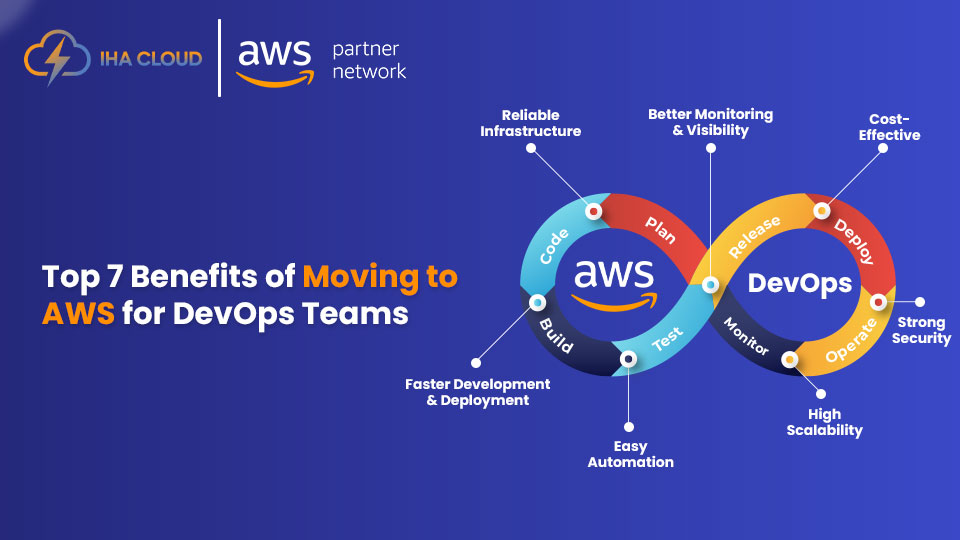
Top 7 Benefits of Moving to AWS for DevOps Teams 

Cloud adoption has become essential for modern DevOps teams, and AWS continues to be the platform of choice. With its vast ecosystem of tools, automation capabilities, and enterprise-grade reliability, AWS helps DevOps teams deploy faster, operate smarter, and scale effortlessly. In this blog, you’ll learn the biggest benefits of moving to AWS for DevOps teams and how the shift can transform your delivery pipeline, infrastructure, and overall productivity. 1. Faster Deployment and Shorter Release Cycles   AWS provides managed CI/CD tools like CodePipeline, CodeBuild, and CodeDeploy, which help automate releases from start to finish. Key benefits:• Fewer manual steps and less room for error• Consistent release pipelines• Faster shipping of features and fixes These tools allow DevOps teams to deliver updates with confidence, even at high velocity. 2. On-Demand Scalability for Any Workload   One of the biggest advantages of AWS is its ability to scale applications automatically. With EC2 Auto Scaling, ECS, EKS, and Lambda, your infrastructure adjusts based on real-time demand. This ensures:• zero downtime during traffic spikes• efficient resource usage• lower costs than traditional hosting 3. Infrastructure as Code (IaC) Made Simple   AWS makes IaC seamless with CloudFormation, CDK, and Terraform support. DevOps teams get:• version-controlled infrastructure• repeatable environments• automated provisioning and rollbacks IaC eliminates configuration drift and keeps environments predictable from dev to prod. 4. Full Visibility with AWS Monitoring and Logging   Tools like CloudWatch, CloudTrail, and X-Ray provide deep insights into system performance and user behavior. This means you can:• detect issues early• analyze root causes quickly• monitor logs, metrics, and traces in one place Better observability means faster fixes and improved team productivity. 5. Strong Security and Governance   AWS offers world-class security capabilities that align with global compliance standards. Highlights include:• Identity and Access Management (IAM)• encryption by default• VPC isolation• GuardDuty, Security Hub, and AWS Config DevOps teams benefit from a secure foundation without spending time building these systems from scratch. 6. Cost Optimization and Better Resource Control   AWS’s pay-as-you-go model, along with tools like Cost Explorer, Savings Plans, and Trusted Advisor, helps DevOps teams optimize cloud spending. You gain visibility into unused resources and can make smarter decisions to reduce operational costs. 7. Improved Collaboration Across Teams   AWS standardizes environments and tooling across Dev, QA, Security, and Ops. This leads to:• smoother workflows• fewer configuration inconsistencies• shared dashboards and logs Teams communicate better when everyone works on the same reliable cloud platform. Conclusion Migrating to AWS unlocks automation, scalability, and reliability for DevOps teams. If you’re planning to modernize your infrastructure or streamline deployment workflows, AWS offers the right foundation. Frequently Asked Questions

Top 7 Benefits of Moving to AWS for DevOps Teams  Read More »

Top 35 AWS Cost Optimization Tools for 2025

Managing cloud expenses has become a major priority for businesses of every size. As more companies move their applications, data, and operations to AWS, it becomes easier for costs to grow without anyone noticing. Unused resources, oversized servers, old snapshots, and unpredictable workloads can quickly increase monthly bills. That’s why understanding the right cost optimization tools is so important in 2025. This detailed blog guide on Top 35 AWS Cost Optimization Tools for 2025 is designed to help you take full control of your cloud spending in a simple and practical way. Instead of complicated technical language, you’ll find clear explanations of each tool, what it does, and how it can help you save money. From monitoring tools that help you track your budget, to automation tools that stop idle resources, to advanced options like Spot Instances and Graviton processors, each one plays a role in reducing waste and increasing efficiency. Whether you manage a small AWS setup or a large multi-account cloud environment, these tools can help you understand where your money is going, cut unnecessary expenses, and improve the overall performance of your cloud workloads. With the right mix of visibility, automation, and smart planning, AWS cost optimization becomes much easier and more effective. This list gives you everything you need to get started in the right direction. What Is AWS Cost Optimization? AWS cost optimization is the continuous process of managing cloud resources in a smart and efficient way so that you only pay for what you actually need. It involves analyzing usage, understanding spending patterns, and applying strategies that keep your AWS bill under control without affecting performance. Why AWS Cost Optimization Matters When businesses scale, cloud expenses grow very fast if not managed properly. Without proper visibility, unused or oversized resources can silently increase costs. Cost optimization helps you: How to Approach AWS Cost Optimization 1. Understand Your Cloud Usage Start by reviewing consumption patterns across compute, storage, database, network, and serverless services. Identify peaks, unused components, or seasonal variations. Clear tagging and organized cost categories help simplify analysis. 2. Right-Size Your Resources Check if instances, databases, or storage volumes are larger than required. Adjust CPU, RAM, and storage to match real workload needs. Remove idle or rarely used resources and resize environments where possible. 3. Improve Storage Efficiency Different workloads need different storage classes. Move infrequently accessed data to cheaper storage tiers and use automated lifecycle rules to archive or delete old data. This prevents unnecessary long-term storage expenses. 4. Optimize Compute Spending Use flexible pricing models like commitment-based discounts, usage-based billing, and spare capacity options. Match the compute capacity to actual demand with auto scaling, scheduling, and efficient workload placement. 5. Automate Cost Controls Set up alerts for unusual spending, automate shutdown schedules for non-production systems, and use policies to maintain consistent configurations. Automation reduces manual oversight and keeps costs stable. 6. Use Serverless and On-Demand Services Wisely Serverless platforms charge only for actual usage, making them ideal for variable workloads. For steady, predictable workloads, capacity planning and commitment models offer significant savings. 7. Improve Resource Governance Establish clear tagging standards, create cost categories, and use shared billing structures to manage multiple accounts. Good governance prevents duplicate resources and improves visibility across teams. 8. Optimize Data Transfer and Networking Reduce cross-region traffic, use caching layers, and deliver content closer to users. This helps minimize high data transfer charges and improves application performance. 9. Automate Workload Scaling Use powerful auto-scaling mechanisms that adjust capacity based on real-time demand. This ensures you never pay for compute power you don’t need, especially during off-peak periods. 10. Optimize Container and Kubernetes Environments For container-based applications, use smart provisioning, efficient node selection, and right-sized compute environments. This ensures workloads run in the most cost-effective way possible. More Ways to Improve AWS Cost Efficiency Focus on Continuous Monitoring Track performance and costs regularly instead of waiting for monthly bills. Continuous monitoring flags problems early and supports long-term savings. Adopt Modern Architectures Shift to modern compute types, cost-efficient databases, and managed services that are designed to deliver better performance at lower prices. Use Data Analytics Smartly Query only necessary data, compress large datasets, and store hot vs cold data separately. This keeps your analytics workloads cost-efficient. Standardize Policies Across Teams Ensure every team follows the same rules for provisioning, tagging, security, and scaling. A unified strategy reduces waste and improves accountability. Review Costs Frequently Monthly or weekly reviews help identify new opportunities for savings, unused resources, or optimization gaps. Cost optimization is an ongoing practice, not a one-time task. Quick Comparison: 35 Best AWS Cost Optimization Tools for 2025 Tool Name Type / Category Key Purpose / Benefit AWS Cost Explorer Cost Monitoring Visualise and analyze AWS usage & cost trends (AWS Documentation) AWS Budgets Budgeting / Alerts Set cost/usage budgets and get alerts (AWS Documentation) AWS Trusted Advisor (Cost Optimization) Recommendation Engine Detect cost-saving opportunities like idle or underutilized resources (AWS Documentation) AWS Savings Plans Recommendations Pricing / Commitment Suggests compute commitment plans to reduce costs AWS Instance Scheduler Automation Automatically start/stop EC2/RDS instances on a schedule AWS Compute Optimizer Rightsizing Machine learning-based rightsizing of compute & storage AWS Cost Anomaly Detection Monitoring / Alerting Use ML to detect unexpected spikes in AWS costs AWS Pricing Calculator Planning / Forecasting Estimate cost of future architecture before deploying Reserved Instance (RI) Utilization & Coverage Dashboard Reservation Management Track how well your RIs are being used and covered Amazon S3 Intelligent-Tiering Storage Optimization Automatically move S3 objects across access tiers to save cost (AWS Documentation) AWS Auto Scaling Scaling / Compute Automatically scale compute resources based on demand Amazon S3 Lifecycle Policies Storage Automation Define rules to transition or expire S3 objects AWS Lambda Power Tuning Serverless Optimization Tune Lambda memory for optimal cost vs performance AWS Organizations & Consolidated Billing Billing Management Centralize billing & share savings across accounts Amazon RDS Reserved Instances & Storage Optimization Database Commitment Use RIs + optimize DB storage costs AWS Service Quotas Governance

Top 35 AWS Cost Optimization Tools for 2025 Read More »

Top 20 AI Tools for DevOps in 2025

Top 20 AI Tools for DevOps in 2025

In 2025, the world of DevOps is being transformed by artificial intelligence (AI). With faster deployments, complex cloud infrastructures, and continuous delivery pipelines, traditional automation is no longer enough. This is where AI tools for DevOps step in — enabling smarter automation, predictive analytics, and real-time insights that drive efficiency across the entire software lifecycle. The best DevOps automation tools in 2025 are now powered by machine learning and data-driven intelligence. These AIOps platforms can automatically detect anomalies, prevent outages, optimize pipelines, and even write code or fix bugs before they impact production. Whether you’re managing Kubernetes clusters, automating builds, or monitoring large-scale applications, AI is helping DevOps teams stay ahead of challenges while improving reliability and performance. In this detailed blog guide, we’ve compiled the Top 20 AI Tools for DevOps in 2025 — covering everything from CI/CD optimization and code generation to predictive monitoring and intelligent incident management. Each tool on this list represents how AI is shaping the future of DevOps through automation, intelligence, and collaboration. What Are AI Tools for DevOps? AI tools for DevOps are intelligent automation platforms that leverage artificial intelligence, data analytics, and machine learning to improve efficiency, performance, and reliability in DevOps workflows. Unlike traditional automation tools that rely on fixed rules or manual configuration, AI-powered DevOps solutions learn continuously from data — identifying patterns, predicting incidents, and automatically resolving issues. These tools can: In short, AI DevOps tools act as intelligent assistants that help teams move from reactive operations to proactive, self-healing environments. Why AI Is Crucial for DevOps in 2025 As digital ecosystems expand, modern DevOps teams are managing hybrid infrastructures, multi-cloud setups, and containerized applications at massive scale. Manual monitoring and static automation simply can’t keep up. Here’s why AI-driven DevOps automation is becoming essential: In short, AI gives DevOps teams the intelligence and automation they need to handle complexity without sacrificing speed or reliability. How AI Is Transforming the DevOps Lifecycle The impact of AI can be seen across every stage of the DevOps pipeline — from development to deployment and monitoring. 1. Coding and Integration AI helps developers write better, cleaner code by suggesting snippets, detecting bugs, and enforcing coding standards. It integrates seamlessly with repositories and CI tools to automate testing and build management. 2. Continuous Testing and Deployment Machine learning algorithms predict deployment outcomes, identify risks, and automatically roll back failed releases. This ensures that production environments remain stable while enabling rapid iteration. 3. Monitoring and Incident Management AI-powered observability platforms continuously analyze application performance, detect anomalies, and even predict failures before they occur. These systems can alert teams in real-time or trigger self-healing actions. 4. Security and Compliance AI-based security systems scan for vulnerabilities, analyze user behavior, and monitor compliance in real-time, ensuring that every deployment is secure and regulation-ready. 5. Predictive Analytics and Optimization AI-driven insights help teams identify long-term trends in resource usage, system reliability, and deployment frequency — enabling better decision-making and infrastructure planning. The Role of AIOps Platforms in Modern DevOps AIOps (Artificial Intelligence for IT Operations) is a subset of AI designed specifically to support IT and DevOps environments. These platforms process massive volumes of telemetry data — logs, events, and metrics — using advanced machine learning algorithms to deliver predictive and automated insights. Key benefits of AIOps platforms include: In 2025, AIOps is not a luxury — it’s a necessity for organizations that handle large-scale, distributed systems. How to Implement AI in DevOps Workflows Integrating AI into DevOps is a strategic shift rather than a simple tool upgrade. Here’s how teams can get started: Challenges in Adopting AI for DevOps While the benefits are huge, there are still challenges: However, these challenges are rapidly diminishing as modern AI DevOps tools become more user-friendly, cloud-native, and cost-efficient. The Future of AI in DevOps Looking ahead, the synergy between AI and DevOps will continue to evolve. Future DevOps automation tools will not only predict and fix problems but also design optimal architectures, generate infrastructure-as-code automatically, and even forecast business outcomes. AI will play a central role in autonomous DevOps, where systems manage themselves — scaling resources, healing outages, and optimizing performance with minimal human input. This shift will allow teams to focus more on innovation and less on operational overhead. Comparison Table: Top 20 AI Tools for DevOps in 2025 AI Tool Core AI Feature Best Use Case Deployment Type GitHub Copilot AI-powered code generation and suggestion Automating repetitive coding tasks Cloud / IDE Plugin Jenkins X ML-based pipeline automation CI/CD workflow optimization Cloud & Kubernetes DataDog AI anomaly detection & root cause analysis Application & infrastructure monitoring Cloud-based Ansible Lightspeed Natural language to automation code Infrastructure automation Hybrid / Cloud Dynatrace Davis AI for performance analytics Full-stack observability Cloud / SaaS Splunk ITSI Predictive analytics and service scoring IT service intelligence Cloud & On-premise Harness.io AI-driven deployment verification Continuous delivery automation Cloud / Hybrid Moogsoft Event correlation & noise reduction Incident management Cloud / On-premise PagerDuty AIOps ML-based event correlation Intelligent alerting & response Cloud / SaaS New Relic AI AI-based anomaly detection Unified observability & analysis Cloud / Hybrid CloudBees ML pipeline optimization Enterprise CI/CD automation Cloud & On-premise AppDynamics Cognition Engine AI-powered root cause analysis Application performance monitoring Cloud / Hybrid Sumo Logic Predictive log analytics Real-time monitoring & insights Cloud-native Algorithmia AI model deployment & scaling MLOps management Cloud / Hybrid IBM Watson AIOps NLP-based incident automation IT operations optimization Cloud / Enterprise Prometheus + Cortex AI AI anomaly detection in metrics Infrastructure & cluster monitoring Open-source / Cloud GitLab Duo AI code review & pipeline optimization DevSecOps automation Cloud / Self-hosted DeepCode by Snyk AI code scanning & vulnerability detection Secure code analysis Cloud / IDE Plugin BMC Helix AIOps Predictive intelligence & remediation Enterprise AIOps management Cloud / Hybrid OpsMx Autopilot AI-based deployment risk analysis Continuous delivery intelligence Cloud / On-premise Here is the detailed description about the 20 Best AI tools for DevOps in 2025 1. GitHub Copilot – Best AI tools

Top 20 AI Tools for DevOps in 2025 Read More »

Top 25 DevOps Monitoring Tools for 2025

In today’s fast-paced digital landscape, the success of modern software delivery heavily depends on continuous monitoring, automation, and real-time analytics. As DevOps practices evolve, teams are increasingly adopting advanced DevOps monitoring tools to ensure performance, reliability, and security across their infrastructure and applications. These tools play a crucial role in helping organizations maintain visibility across every layer of their technology stack—from servers and containers to APIs and user experience. Whether you’re managing hybrid cloud environments, Kubernetes clusters, or microservices-based architectures, having the right DevOps monitoring solution can drastically improve response time, optimize resources, and prevent costly downtime. In this guide, we’ve compiled a comprehensive list of the Top 25 DevOps Monitoring Tools for 2025 that empower teams with actionable insights, automation capabilities, and AI-driven analytics. These platforms help DevOps engineers monitor, analyze, and enhance the performance of applications while enabling faster deployment and greater operational efficiency. Understanding DevOps Monitoring Tools DevOps monitoring tools are designed to help teams continuously track the health, performance, and reliability of applications, infrastructure, and networks. These tools play a crucial role in maintaining visibility across every stage of the software delivery pipeline, enabling teams to identify issues early, optimize resources, and ensure that applications run efficiently in production. In modern environments where applications are distributed across cloud, container, and hybrid architectures, real-time observability is essential. Monitoring solutions collect logs, metrics, and traces from multiple systems and analyze them to detect anomalies or performance degradation before they affect end users. Why DevOps Monitoring Matters In the DevOps ecosystem, monitoring is not just about observing system metrics — it’s about creating a culture of proactive incident prevention and continuous improvement. Without proper monitoring, even small issues can escalate into large-scale outages or costly downtime. Monitoring solutions help track performance indicators like CPU usage, memory, network latency, and error rates. They also support application-level insights, allowing developers to understand how code behaves in real-world conditions. This level of transparency enables faster troubleshooting, better scalability, and improved end-user experience. Moreover, as organizations move toward cloud-native and containerized infrastructures, monitoring becomes more complex. Modern tools address this by using machine learning and AI to automatically detect irregular patterns and send alerts before problems escalate. How DevOps Monitoring Tools Work Most DevOps monitoring platforms follow a similar workflow — data collection, analysis, visualization, and alerting. Some advanced solutions also offer automated remediation, where the system can take corrective actions — such as restarting a service or scaling a container — without human intervention. Benefits of Using DevOps Monitoring Implementing a robust monitoring strategy brings multiple benefits to both technical and business teams: Ultimately, the goal is not just to monitor but to gain actionable insights that lead to smarter decisions and a more resilient system. Trends Shaping DevOps Monitoring in 2025 The evolution of DevOps monitoring tools continues to accelerate, driven by cloud adoption, automation, and AI-powered analytics. Some key trends include: These trends highlight how monitoring has evolved from a reactive function to an integral part of the DevOps lifecycle — ensuring reliability, scalability, and continuous delivery. Comparison Table: Top 25 DevOps Monitoring Tools for 2025 Tool Name Key Features Best For Datadog Unified monitoring, APM, AI alerts, log management Full-stack observability for cloud-native teams Prometheus Open-source metrics collection, PromQL, alerting Containerized & Kubernetes environments Grafana Real-time dashboards, multi-source integration Data visualization & analytics New Relic Full-stack observability, APM, real-time tracing Performance monitoring across applications Nagios Network & server monitoring, custom plugins Infrastructure & legacy system monitoring Splunk Log analytics, AI insights, data visualization Enterprise-scale log management AppDynamics Business transaction monitoring, root cause analysis Application performance & user experience Elastic Observability (ELK Stack) Centralized logging, ML alerts, dashboards Custom log analytics & performance tracking Dynatrace AI-driven observability, dependency mapping Automated full-stack monitoring Zabbix Network, VM, and cloud monitoring Cost-effective open-source solution AWS CloudWatch AWS-native monitoring, alarms, ML insights AWS environments & hybrid infrastructure Sensu Go Event-driven monitoring, integrations, APIs Scalable, dynamic DevOps environments PagerDuty Incident response, automation, escalation Alert management & on-call DevOps teams LogicMonitor Automated discovery, predictive analytics Hybrid cloud & large IT operations SolarWinds AppOptics APM, trace analysis, affordable pricing SMBs needing real-time observability Site24x7 Full-stack monitoring, AI insights, cloud integration Unified visibility for multi-cloud systems Promtail + Loki (Grafana Stack) Log aggregation, compression, integration Efficient, Kubernetes-native log monitoring Checkmk Auto-discovery, plugin support, alerting Scalable enterprise infrastructure monitoring Sematext Monitoring Unified metrics, logs, traces, anomaly detection Cloud-native DevOps & SaaS teams OpsRamp AIOps, event correlation, hybrid visibility Large enterprises managing multi-cloud Netdata Real-time metrics, ML anomaly detection Instant insights for system health monitoring ManageEngine Applications Manager End-user monitoring, synthetic testing, AI Business app and cloud performance tracking Instana Auto-discovery, microservices monitoring Containerized & distributed architectures Sumo Logic Cloud-native log management, security insights Real-time analytics & compliance monitoring Icinga Unified alerts, hybrid support, Grafana integration Open-source hybrid monitoring solutions Here is the detailed description about the Top 25 DevOps Monitoring Tools for 2025 1. Datadog Datadog is one of the most comprehensive DevOps monitoring platforms available today, offering real-time visibility into servers, containers, applications, and cloud infrastructure. It helps teams detect and fix issues before they impact users. Key Features: Why Use It:Datadog provides deep observability and automation capabilities, making it a top choice for organizations managing multi-cloud or hybrid environments. 2. Prometheus Prometheus is an open-source monitoring solution widely adopted in DevOps ecosystems for collecting and storing metrics as time series data. It’s highly favored for Kubernetes environments. Key Features: Why Use It:Prometheus is perfect for containerized infrastructures and cloud-native DevOps workflows, providing flexibility and open-source freedom. 3. Grafana Grafana is an open-source analytics and visualization platform that integrates with various data sources, including Prometheus, InfluxDB, Elasticsearch, and AWS CloudWatch. It helps DevOps teams visualize performance metrics in real-time. Key Features: Why Use It:Grafana transforms raw data into powerful visual insights, making it indispensable for teams focusing on system health, uptime, and user experience. 4. New Relic New Relic offers a full-stack observability platform designed for developers and operations teams. It provides insights across applications, infrastructure, and

Top 25 DevOps Monitoring Tools for 2025 Read More »

20 Best Cloud Service Providers in India

20 Best Cloud Service Providers in India (2025)

In today’s fast-paced digital world, businesses in India are increasingly moving to the cloud to improve efficiency, scalability, and security. Choosing the right cloud service provider is critical for seamless operations, data management, and digital transformation. From startups to large enterprises, every organization requires a reliable cloud partner that can support growth, innovation, and cost-effective solutions. India’s cloud market has grown rapidly, with numerous providers offering advanced computing, storage, networking, AI, and analytics solutions. Whether you are looking for enterprise-grade infrastructure, hybrid cloud capabilities, or developer-friendly platforms, the options are vast and varied. To help businesses make informed decisions, we have curated a list of the 20 Best Cloud Service Providers in India for 2025, highlighting their features, benefits, and ideal use cases. From IHA Cloud, which tops our list for its reliability and scalability, to global giants like AWS, Microsoft Azure, and Google Cloud, this guide covers the leading providers shaping India’s cloud ecosystem. Quick Comparison: 20 Best Cloud Service Providers in India No. Cloud Provider Key Features Ideal Use Cases 1 IHA Cloud AWS partner, DevOps, CI/CD, 24/7 support Web hosting, database migration, cost optimization 2 AWS India Global infrastructure, scalability, security Enterprise cloud migration, big data analytics, AI/ML apps 3 Microsoft Azure India Hybrid cloud, AI & analytics tools, multi-language support Cloud app development, hybrid IT, SaaS deployment 4 Google Cloud India AI/ML tools, big data analytics, high-speed global network Machine learning, big data, cloud-native apps, enterprise workloads 5 IBM Cloud India Hybrid cloud, AI integration, enterprise-grade security, global reach Enterprise apps, AI analytics, blockchain, hybrid IT 6 Oracle Cloud India High-performance compute, managed databases, strong security, ERP integration Database hosting, ERP deployment, cloud-native apps 7 VMware Cloud India Virtualization, hybrid cloud, enterprise security, disaster recovery Virtual machines, hybrid IT, workload migration 8 Alibaba Cloud India AI & big data, secure infrastructure, scalable, cost-effective E-commerce platforms, big data analytics, AI apps 9 DigitalOcean India Developer-friendly, scalable droplets, simple deployment, affordable Web apps, cloud-native apps, containerized workloads 10 Linode India Predictable pricing, high-performance VMs, security, developer-friendly Web hosting, app development, cloud infrastructure for SMBs 11 Rackspace Technology India Multi-cloud management, expert support, security, scalable Managed hosting, enterprise migration, multi-cloud strategy 12 Salesforce Cloud India CRM-focused, AI-powered insights, integration capabilities, scalable Customer management, marketing automation, enterprise SaaS 13 Zoho Cloud India Productivity suite, seamless integrations, secure, cost-effective Business management, CRM, team collaboration 14 VMware vCloud India Virtualization, hybrid cloud, security, disaster recovery Hybrid IT, virtual machines, enterprise workloads 15 Netmagic Cloud (NTT Ltd.) Managed services, secure, scalable, high availability Enterprise hosting, migration, disaster recovery 16 Huawei Cloud India AI & big data, scalable, secure, innovative Cloud-native development, AI apps, big data analytics 17 TCS Cloud India End-to-end cloud solutions, hybrid/multi-cloud, security, governance Cloud migration, hybrid IT, digital transformation 18 Wipro Cloud India Cloud advisory, modernization, managed services, multi-cloud App modernization, enterprise migration, multi-cloud strategy 19 HCL Technologies Cloud India Cloud consulting, AI automation, hybrid/multi-cloud, security Hybrid IT, digital transformation, AI-driven cloud management 20 Tech Mahindra Cloud India Industry-specific solutions, cloud migration, AI & IoT integration Industry apps, digital transformation, managed cloud services Here is the detailed description of the 20 Best Cloud Service Providers in India 1. IHA Cloud – Best Cloud Service Provider in India IHA Cloud is one of India’s fastest-growing cloud service providers, offering reliable, scalable, and secure cloud solutions for businesses of all sizes. It focuses on providing enterprise-grade infrastructure while maintaining cost-effectiveness for startups and SMEs. Key Features: Use Cases: Hosting enterprise applications, website hosting, virtual desktops, and cloud storage solutions. 2. Amazon Web Services (AWS) India AWS is a global cloud leader with a strong presence in India. It offers a wide range of services including computing power, storage, databases, and AI/ML solutions. AWS is known for its reliability, innovation, and global reach. Key Features: Use Cases: Enterprise cloud migration, big data analytics, AI-powered applications, and e-commerce platforms. 3. Microsoft Azure India Microsoft Azure is a preferred choice for businesses looking to integrate cloud solutions with Microsoft products like Office 365, Dynamics 365, and Teams. Azure provides hybrid cloud solutions for seamless integration with on-premises infrastructure. Key Features: Use Cases: Cloud app development, hybrid IT solutions, data analytics, and enterprise SaaS deployment. 4. Google Cloud Platform (GCP) India GCP provides robust cloud infrastructure with advanced AI, ML, and data analytics tools. It focuses on delivering high-performance computing resources for startups and large enterprises alike. Key Features: Use Cases: Machine learning projects, big data analytics, cloud-native application development, and enterprise workloads. 5. IBM Cloud India IBM Cloud offers enterprise-focused cloud solutions with a strong emphasis on hybrid cloud and AI-powered services. It is ideal for large organizations looking for secure, scalable, and intelligent cloud infrastructure. Key Features: Use Cases: Enterprise applications, AI-driven analytics, blockchain solutions, and hybrid IT environments. 6. Oracle Cloud India Oracle Cloud is known for its database-as-a-service offerings and robust cloud infrastructure. It is ideal for enterprises that rely heavily on databases and ERP solutions. Key Features: Use Cases: Database hosting, ERP deployment, cloud-native application development, and data analytics. 7. VMware Cloud India VMware Cloud specializes in virtualization and hybrid cloud solutions. It enables businesses to migrate and manage workloads securely across private and public cloud environments. Key Features: Use Cases: Virtual machine hosting, hybrid IT infrastructure, enterprise workload migration, and cloud resource optimization. 8. Alibaba Cloud India Alibaba Cloud is a fast-growing provider in India, offering a range of cloud services including computing, storage, networking, and security solutions. It is particularly popular among e-commerce and tech startups. Key Features: Use Cases: E-commerce platforms, big data analytics, AI-powered applications, and scalable web hosting. 9. DigitalOcean India DigitalOcean is a developer-friendly cloud provider that focuses on simplicity, scalability, and affordability. It’s widely used by startups and small to medium-sized businesses for deploying cloud applications quickly. Key Features: Use Cases: Hosting web applications, cloud-native apps, developer environments, and containerized workloads. 10. Linode India Linode is a reliable and cost-effective cloud platform that offers virtual servers, storage solutions, and networking services for businesses

20 Best Cloud Service Providers in India (2025) Read More »

15 Best CI/CD Tools for AWS (2025)

15 Best CI/CD Tools for AWS in 2025

In today’s cloud-driven software development world, automation has become the backbone of agility and innovation. Whether you’re managing microservices, deploying containerized apps, or running large-scale enterprise workloads, CI/CD tools for AWS play a critical role in streamlining code delivery and improving reliability. AWS offers a robust ecosystem for DevOps teams — from native services like CodePipeline, CodeBuild, and CodeDeploy to third-party tools like Jenkins, GitLab CI/CD, and CircleCI — all built to enhance continuous integration and continuous delivery. The right CI/CD tools for AWS help automate your build, test, and deployment pipelines, minimize manual errors, and ensure faster, more secure software releases. In this blog, we’ll explore the 15 best CI/CD tools for AWS in 2025, each offering unique features, scalability, and integration options to meet your business needs. What Are CI/CD Tools for AWS? CI/CD tools for AWS are automation platforms that help developers build, test, and deploy software quickly and efficiently in the cloud. “CI” stands for Continuous Integration, which focuses on automatically merging and testing code changes, while “CD” stands for Continuous Delivery or Deployment, which handles the automatic release of that tested code into production. These tools are designed to remove manual steps from the software lifecycle. Instead of manually uploading code, running tests, and checking servers, CI/CD pipelines take care of everything — ensuring faster updates, fewer errors, and greater consistency. When integrated with AWS, these tools connect directly to services like EC2, ECS, Lambda, S3, and CloudFormation, enabling developers to automate the entire release process within Amazon’s secure and scalable environment. Why Are CI/CD Tools Important for AWS Developers? In the AWS ecosystem, automation is key to managing complex applications and microservices. CI/CD tools make this process smoother by: How Do CI/CD Tools Work on AWS? The CI/CD process on AWS generally follows a structured workflow: What to Look for When Choosing CI/CD Tools for AWS When selecting the right CI/CD tool, it’s important to focus on key capabilities that align with your team’s workflow and infrastructure. Here are the top factors to consider: Why AWS Is Ideal for CI/CD Pipelines AWS offers the most complete environment for building, testing, and deploying modern applications. With services like EC2, S3, EKS, and CloudWatch, developers can create robust CI/CD pipelines that scale automatically, reduce operational costs, and enhance release speed. AWS also supports multiple development frameworks, programming languages, and DevOps tools, giving teams the freedom to choose what fits best. Whether it’s a startup deploying web apps or an enterprise managing global workloads, AWS provides the infrastructure reliability and automation power needed for smooth continuous delivery. The Future of CI/CD on AWS As businesses move toward microservices, containers, and AI-driven development, CI/CD tools for AWS are evolving rapidly. The future will bring smarter pipelines powered by machine learning, predictive analytics, and self-healing automation that can detect failures before they occur. Serverless CI/CD, edge deployments, and GitOps models are also becoming more popular, allowing developers to focus on innovation rather than infrastructure management. In short, CI/CD on AWS is moving from simple automation to intelligent orchestration — where every release is faster, safer, and more reliable. Comparison table: 15 best CI/CD tools for AWS in 2025 # Tool Name Key AWS Integration / Features Best Suited For / Use Case 1 AWS CodePipeline Native integration with CodeBuild, CodeDeploy, CloudFormation, Lambda; supports approvals & triggers Teams fully in AWS looking for managed, end-to-end CI/CD 2 Jenkins Plugins for AWS EC2, S3, CodeDeploy, Lambda; supports agents on AWS Custom pipelines with full control and plugin support 3 GitLab CI/CD Deploy to EC2, ECS, Lambda; container registry, security scanning Teams using GitLab for both SCM and CI/CD 4 CircleCI AWS integrations (ECS, ECR, Lambda), Docker support, caching High-performance CI/CD with fast builds 5 Travis CI Direct deploy to S3, EC2, Lambda; multi-language support Open source / small teams wanting hosted CI/CD 6 Bitbucket Pipelines IAM / role integration for AWS, deploy to EC2, ECS, Lambda Teams already using Bitbucket / Atlassian stack 7 GitHub Actions Marketplace AWS actions, secrets for AWS credentials, deploy to AWS services GitHub users wanting native CI/CD 8 AWS CodeBuild Fully managed build service, deep AWS integration (S3, IAM, CloudWatch) Serverless build automation within AWS pipelines 9 Spinnaker Native support for EC2, ECS, Lambda; sophisticated deployment strategies Enterprises handling complex multi-environment deployments 10 TeamCity AWS plugin support (CodeDeploy, EC2, S3), distributed agents Enterprise teams needing robust, customizable builds 11 Bamboo Integration with AWS CodeDeploy, EC2, S3 Teams already using Jira / Atlassian tools 12 Buddy AWS actions for Lambda, EC2, ECS, Beanstalk; drag & drop pipelines Mid-sized teams seeking simplicity with AWS deployment 13 Harness AI-based verification, AWS cost reporting, blue/green & canary support Enterprises focused on safe, automated deployments 14 Codefresh Kubernetes + AWS EKS / ECS support, GitOps, container pipelines Teams using containers / Kubernetes in AWS 15 AWS CodeDeploy Deploys to EC2, Lambda, on-prem, supports blue/green & rolling updates Teams wanting managed, flexible deployment automation Here is the detailed description about the best CI/CD tools for AWS in 2025 1. AWS CodePipeline AWS CodePipeline is Amazon’s native continuous integration and continuous delivery service designed to automate the release process for fast and reliable application updates. It integrates seamlessly with other AWS services like CodeBuild, CodeDeploy, CloudFormation, and Lambda, making it ideal for teams already in the AWS ecosystem. Key Features: Why Use It:AWS CodePipeline reduces release cycles and improves deployment speed by automating every stage of your software delivery process—from code commit to production deployment—directly within AWS. 2. Jenkins Jenkins remains one of the most popular open-source CI/CD automation servers and works perfectly with AWS environments. With hundreds of plugins, it allows developers to build, test, and deploy applications across EC2, ECS, Lambda, or EKS. Key Features: Why Use It:Jenkins is ideal for teams needing complete control and flexibility over their build and deployment pipelines. When paired with AWS infrastructure, it becomes a powerful automation engine for cloud-native projects. 3. GitLab CI/CD GitLab CI/CD offers a built-in pipeline solution for version control,

15 Best CI/CD Tools for AWS in 2025 Read More »

Scroll to Top