IHA Cloud

Security

Secure code and cloud infrastructure security

Secure Code Isn’t Enough: Why Infrastructure Security Matters

Your application can pass security testing and still remain exposed. Your team may review the code carefully, test APIs, scan dependencies, and harden authentication. Yet a single overly permissive cloud role, exposed network endpoint, or misconfigured storage resource can create another path into the environment. An application is only one layer of a much larger cloud environment. It relies on identities, networks, workloads, databases, storage, APIs, and deployment pipelines. Each layer introduces its own security decisions, and a weakness in one can undermine protections implemented in another. This is why cloud infrastructure security needs to be part of the security strategy, rather than a separate concern that comes after development. Why Secure Code Alone Isn’t Enough  Application security focuses on whether attackers can exploit the software through issues such as: Infrastructure security addresses a different question: Can someone access, misuse, or compromise the environment hosting that software? Consider a SaaS application whose team has thoroughly tested its code and authentication controls. If an incorrect network rule leaves the production database reachable from the public internet, an attacker may be able to target the database without exploiting the application itself. The software can be secure while the infrastructure exposes it unnecessarily. That distinction is central to modern cloud security. What Does Cloud Infrastructure Security Cover?  Effective infrastructure security is less about adding more security tools and more about controlling attack surface, access, and blast radius. The key questions include: Identity and Access Security  Every user, service, API, and automated workload needs the right level of access—and no more. The risk isn’t simply whether an attacker compromises an account. The bigger question is what that account can reach afterward. Excessive permissions can let an attacker move from one compromised identity to databases, storage, workloads, or other cloud resources. Least-privilege access, strong authentication, privileged-access controls, and regular permission reviews can help limit the potential blast radius. Network Security  Network design determines which systems can communicate and which remain isolated. Publicly exposed administrative interfaces, unrestricted security groups, or unnecessary connections between workloads can increase the attack surface. Private networking, segmentation, firewall policies, and controlled ingress and egress can reduce exposure and limit lateral movement. Configuration Security Cloud infrastructure can change rapidly, especially when teams manage resources across multiple environments. Configuration drift can also occur when engineers make manual changes outside infrastructure-as-code workflows. As a result, production can differ from the configuration that the team reviewed and approved. Infrastructure-as-code, configuration validation, automated policy checks, and continuous monitoring can help teams identify these deviations before they create larger security problems. For organizations that need a deeper assessment of their cloud environment, IHA Cloud’s Security Audit services can help identify vulnerabilities, assess risks, and review cloud configurations and access controls.  Workload Security  Virtual machines, containers, Kubernetes clusters, and serverless workloads introduce additional attack surfaces. Unpatched systems, vulnerable container images, excessive workload privileges, or unnecessary services can increase the potential impact of a compromise. Teams can reduce these risks by keeping workloads updated, removing unnecessary services, scanning images, restricting privileges, and monitoring runtime activity. Visibility and Security Response  Even strong preventive controls cannot eliminate every incident. Teams need visibility into activity across their cloud environment. This helps them distinguish normal behavior from suspicious changes or access patterns. Centralized logging, meaningful alerts, continuous monitoring, and tested response procedures can help teams detect incidents, understand their scope, and contain them more quickly Two Infrastructure Weak Points, Two Different Risks  Infrastructure weaknesses don’t all create the same type of exposure. Network exposure can make a resource reachable when it should remain private. For example, an internal database or administrative service may become accessible because of an overly permissive firewall or security-group rule. Identity exposure creates a different problem. Imagine a deployment service account with permissions across multiple production resources. If an attacker compromises its credentials, they may gain access to far more than the application that the account was originally created to deploy. In both cases, the important question isn’t only whether a vulnerability exists. It’s how much access that weakness provides and how far an attacker can move from it. Why Cloud Infrastructure Security Becomes More Important as You Scale  Modern SaaS environments rarely consist of a single application and server. A production environment can include multiple cloud accounts, databases, APIs, containers, storage services, CI/CD pipelines, third-party integrations, machine identities, and automated infrastructure. As SaaS environments grow, they accumulate more identities, workloads, infrastructure changes, and sensitive resources. More identities mean more permissions to manage. More workloads create more communication paths. More frequent infrastructure changes increase the possibility of configuration drift. Meanwhile, more sensitive data increases the potential impact of a security failure. That makes cloud infrastructure security an ongoing operational responsibility, not a security task performed once before launch. Security Has to Extend Across the Environment  Secure development practices remain essential, but application security cannot be the only layer of defense. A secure application can still face exposure through a poorly configured network. Likewise, a well-designed cloud environment can still be compromised when identities have excessive permissions. Even a strong security policy can lose its effectiveness when teams don’t continuously monitor infrastructure changes. The answer is not to choose between application and infrastructure security. Instead, teams need to connect both throughout development, deployment, and operations. For organizations building and running applications in the cloud, cloud infrastructure security is part of protecting the application itself not simply the infrastructure around it.

Secure Code Isn’t Enough: Why Infrastructure Security Matters Read More »
Cloud security is the foundation of AWS security architecture

Cloud Security Isn’t an Add-On. It’s the Foundation.

Cloud security problems rarely begin with a dramatic breach. More often, they start with small decisions: an overly broad IAM permission, an exposed storage bucket, inconsistent logging, or a production environment built without clear security controls.  These decisions may seem minor at first, but once they reach production, fixing them can become far more complicated—and more disruptive to the business.  That’s why AWS cloud security shouldn’t be treated as something added after deployment. It needs to be part of the architecture from the start, covering identity, data, infrastructure, monitoring, and incident response.  What AWS Cloud Security Actually Covers  AWS cloud security is about protecting the identities, workloads, applications, infrastructure, and data running in AWS.  The important part is how these controls work together.  Encryption cannot compensate for excessive permissions. Network controls cannot replace threat detection. And security tools provide limited value if no one is responsible for acting on their findings.  AWS follows a shared responsibility model. AWS secures the underlying cloud infrastructure, while customers are responsible for securing their workloads, configurations, identities, and data based on the services they use.  Running workloads on AWS does not automatically make them secure.  Why AWS Security Gets Harder as You Scale  AWS makes it easy to provision infrastructure, deploy applications, and scale quickly. That flexibility can also introduce complexity.  A growing organization may have multiple AWS accounts, production and development environments, automated deployments, third-party integrations, and many users and workloads requiring access.  Without consistent controls, that complexity can create unnecessary risk—and increase the operational effort required to fix problems later.  For example, a developer may need permission to deploy an application but have no reason to delete a production database or modify security policies. Applying least-privilege access keeps those responsibilities separate and limits the impact of compromised credentials or accidental actions.  As environments grow, manual security checks become increasingly difficult to maintain.  Five Foundations of AWS Cloud Security  1. Secure the Identity Layer  Identity is one of the most important security boundaries in AWS.  Organizations should use least-privilege access, strong authentication, and appropriate IAM roles and policies, so people and workloads receive only the permissions they need.  This becomes especially important in multi-account environments, where inconsistent permissions can quickly create access gaps.  2. Protect the Data Layer  Cloud environments often contain customer records, financial information, credentials, intellectual property, and other sensitive data.  AWS provides controls for encryption, key management, access policies, logging, and sensitive data discovery.  Use case: A company storing customer documents in Amazon S3 can combine encryption, restrictive bucket policies, access monitoring, and Amazon Macie to identify sensitive information and reduce unnecessary exposure.  Data protection isn’t just about encryption. Organizations also need to know what data exists, who can access it, and how that access is monitored.  3. Protect the Infrastructure Layer  Applications depend on networks, compute resources, databases, containers, and other infrastructure. Poor configuration in any of these areas can create an entry point for attackers.  Infrastructure protection includes network segmentation, security groups, vulnerability management, secure configurations, and controlled resource exposure.  Use case: A production application can use a controlled network architecture where databases aren’t directly exposed to the internet and only required application components can communicate with them.  Security is easier to maintain when these decisions are made during architecture design rather than after deployment.  4. Detect What’s Happening  Prevention is important, but no environment is completely risk-free. Organizations also need visibility into suspicious activity.  Amazon GuardDuty analyzes AWS activity and related data sources to identify potential threats. AWS CloudTrail records API activity, helping teams investigate what happened, when it happened, and which identity or service was involved.  For a deeper look at building an auditable AWS environment, see our guide to AWS CloudTrail and Config.  Use case: If unusual API activity suggests compromised credentials, logging and threat detection can give security teams the information needed to investigate and respond quickly.  5. Prepare for What Happens Next  Detection only helps if an organization knows how to respond.  Security teams need defined escalation paths, incident-response procedures, centralized visibility, and repeatable processes for addressing findings.  For larger AWS environments, AWS Security Hub can help consolidate security findings and provide a broader view of security posture. Services such as Amazon Inspector and Amazon Macie provide additional visibility into vulnerabilities and sensitive data.  The goal isn’t to collect more alerts. It’s to turn security signals into action.  Security Isn’t About Adding More AWS Tools  Enabling more security services doesn’t automatically create a secure environment.  What matters is how architecture, identity, automation, monitoring, policies, and operational processes work together.  That approach should continue into development and deployment, where security checks can identify issues before they reach production. Our guide to building a DevSecOps pipeline explores how to integrate security into CI/CD workflows.  For example, GuardDuty can identify suspicious activity, but someone still needs to review critical findings and know how compromised credentials should be contained.  Security maturity isn’t measured by the number of tools enabled. It’s measured by how effectively those controls reduce risk and support a repeatable response.  Build Security Into AWS From Day One  A foundation-first approach starts before workloads reach production.  Teams should ask:  For a startup, this might mean establishing IAM, logging, encryption, networking, and account-management standards early.  For an enterprise, it could mean centralized visibility and consistent controls across multiple AWS accounts and environments.  The same principle applies during migration. Security, identity, logging, networking, governance, and monitoring should be considered as part of the initial AWS environment rather than treated as post-migration fixes. See our guide to planning an AWS migration for more on these foundational decisions.  Build a Cloud Environment That Is Secure by Design  AWS environments constantly change. New accounts are created, workloads move, teams grow, and applications become more interconnected.  That change can introduce new access paths, configurations, and operational risks. Security controls need to evolve with the environment—not catch up with it afterward.  The question isn’t whether your AWS environment will change. It will. The question is whether your security foundation is designed

Cloud Security Isn’t an Add-On. It’s the Foundation. Read More »

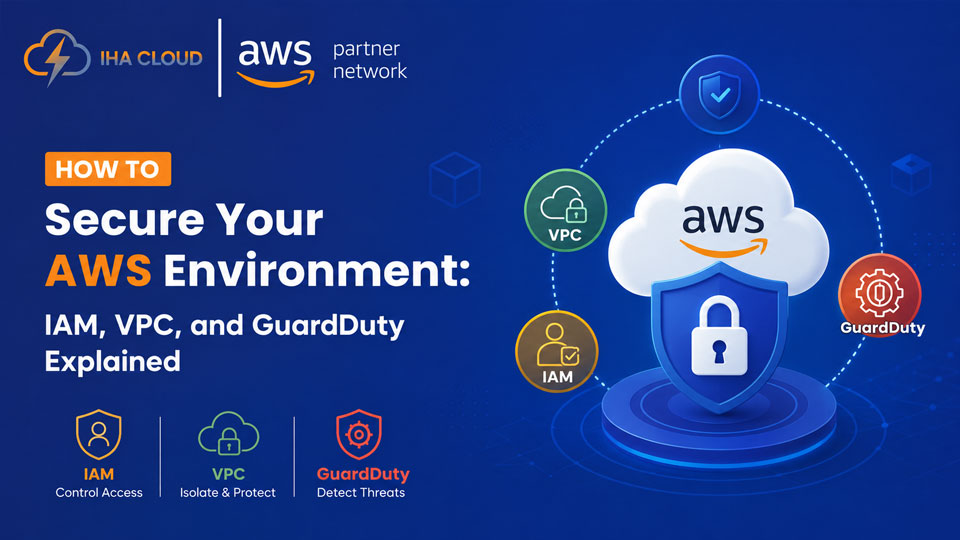
How to Secure Your AWS Environment: IAM, VPC, and GuardDuty Explained

How to Secure Your AWS Environment: IAM, VPC, and GuardDuty Explained

Most AWS breaches are not caused by AWS failures. They come from misconfigured permissions, open security groups, and unmonitored access. The infrastructure is secure. The configuration is not.  These three services — IAM, VPC, and GuardDuty — form the foundation of any serious AWS security posture. Here is what each one does and what you should be doing with it.  IAM: Control Who Can Do What  Identity and Access Management is where most AWS security problems start. Overly permissive roles, unused access keys, and root account usage are the most common issues we find during security audits.  What to do:  Never use the root account for daily operations — create individual IAM users or use AWS SSO  Apply least-privilege: give users and services only the permissions they actually need  Rotate access keys regularly and delete ones that have not been used in 90 days  Enable MFA on every human account, especially root  Use IAM roles for EC2 instances — never hardcode credentials in application code     AWS IAM Access Analyzer can scan your policies and flag permissions that are too broad. Run it. Act on what it finds.  VPC: Control What Can Talk to What  A Virtual Private Cloud is your private network inside AWS. A poorly designed VPC — with everything in a public subnet and security groups open to 0.0.0.0/0 — is an open door.  What to do:  Separate public and private subnets. Databases and application servers should never be in public subnets  Security groups are stateful firewalls — keep inbound rules tight. Only allow the ports your application actually uses  Use a NAT Gateway to give private instances outbound internet access without exposing them publicly  Enable VPC Flow Logs. When something goes wrong, you will need the traffic records  Consider AWS Network Firewall for deep packet inspection on traffic entering and leaving your VPC  GuardDuty: Detect Threats Automatically  GuardDuty analyses CloudTrail logs, VPC flow logs, and DNS logs to detect threats. It uses machine learning to flag unusual patterns — an EC2 instance suddenly making requests to a cryptocurrency mining pool, root account logins from unusual locations, or API calls from known bad IP addresses.  GuardDuty costs roughly 2–3 USD per million events. For most businesses, the monthly cost is under 50 USD. The value of catching a compromised instance or stolen credential before it escalates is not comparable to that number.  Turn it on in every region. Connect its findings to an SNS topic or a security tool. Do not let findings pile up unreviewed.  The Three Layers Together  IAM controls identity. VPC controls network access. GuardDuty detects anomalies. None of them replaces the others. A strong AWS security posture needs all three configured correctly.  IHA Cloud offers AWS Security Audits that cover IAM, VPC, GuardDuty, and more. Book a Review at IHACloud

How to Secure Your AWS Environment: IAM, VPC, and GuardDuty Explained Read More »

Top 10 Cloud Security Trends For 2026

Top 10 Cloud Security Trends for 2026: Protecting Your Business in a Digital World

Cloud computing has become the backbone of modern digital businesses. From startups to global enterprises, organizations rely on cloud infrastructure to store data, run applications, and scale operations quickly. However, as cloud adoption grows, so do the security risks associated with it. Cybercriminals are increasingly targeting cloud environments using advanced techniques such as AI-powered attacks, identity theft, and software supply chain vulnerabilities. In 2026, businesses must adopt stronger and more intelligent cloud security strategies to protect sensitive data, maintain compliance, and ensure business continuity. From Zero Trust architectures to AI-driven threat detection, the cloud security landscape is evolving rapidly. In this article, we explore the top 10 cloud security trends for 2026 that organizations should understand to protect their digital infrastructure. 1. Zero Trust Security Becomes the Default Model Traditional perimeter-based security models are no longer effective in modern cloud environments. The Zero Trust model assumes that no user or device should be trusted automatically, whether inside or outside the network. Instead, every access request is continuously verified based on identity, device health, and behavioral context. Organizations are increasingly implementing least privilege access, continuous authentication, and identity-based policies. Key benefits of Zero Trust include: 2. AI-Powered Threat Detection and Response Artificial intelligence is transforming cloud security by enabling faster detection of threats and automated responses. AI-powered security tools can analyze massive volumes of logs and network activity to identify unusual behavior in real time. These systems use machine learning algorithms to detect anomalies, predict attacks, and prioritize security alerts. AI-driven security operations also reduce response time and improve overall incident management. Common AI security capabilities include: 3. Identity-First Security Architecture In cloud environments, identity is the new security perimeter. Many cloud breaches occur because attackers gain access through stolen credentials or compromised identities. Organizations are focusing on identity-centric security strategies such as: These technologies ensure that only authorized users and services can access critical cloud resources. 4. Protection Against AI-Powered Cyberattacks As businesses adopt AI, cybercriminals are also using AI to launch more sophisticated attacks. Deepfake phishing, automated malware generation, and AI-powered social engineering are becoming major threats. Recent reports show that many organizations are already facing AI-enabled attacks and misinformation campaigns. To counter these threats, companies are investing in: 5. DevSecOps Becomes Standard Practice Security is no longer something added at the end of the development process. Instead, organizations are integrating security directly into the software development lifecycle through DevSecOps. DevSecOps ensures that security checks occur at every stage of development, including: This approach helps detect vulnerabilities earlier and reduces the risk of security breaches in cloud applications. 6. Multi-Cloud Security Platforms Many businesses now use multiple cloud providers such as AWS, Azure, and Google Cloud. While this approach improves flexibility and reduces vendor lock-in, it also increases security complexity. As a result, organizations are adopting multi-cloud security platforms that provide centralized visibility, monitoring, and policy enforcement across different cloud environments. Recent industry developments also highlight the importance of securing multi-cloud environments as companies continue to scale cloud adoption globally. 7. Secure Access Service Edge (SASE) Secure Access Service Edge (SASE) is becoming a major cloud security architecture in 2026. It combines networking and security services into a single cloud-based framework. SASE integrates several technologies, including: This approach provides secure access to applications regardless of user location, making it ideal for remote and hybrid work environments. 8. Stronger Encryption and Data Protection Data protection remains a top priority for organizations storing sensitive information in the cloud. In 2026, businesses are adopting advanced encryption strategies such as: These techniques help ensure that sensitive information remains protected even if attackers gain access to cloud systems. 9. Security for Machine and Non-Human Identities Cloud environments increasingly rely on non-human identities, including APIs, bots, AI agents, and service accounts. These machine identities often outnumber human users and can create new security risks. If these identities have excessive permissions or lack proper monitoring, they can become an easy target for attackers. Organizations are therefore implementing governance frameworks to manage and monitor machine identities effectively. 10. Cloud Security Automation and Self-Healing Systems Automation is playing a major role in modern cloud security strategies. Automated security systems can detect misconfigurations, apply security patches, and remediate vulnerabilities without human intervention. Cloud Security Posture Management (CSPM) tools now use automation to: These self-healing security systems help organizations reduce risks and improve operational efficiency. How IHA Cloud Helps Businesses Strengthen Cloud Security As cloud threats continue to evolve, businesses need more than just basic security tools. They require a holistic cloud security strategy that combines infrastructure protection, identity security, monitoring, and compliance. This is where IHA Cloud helps organizations secure their digital environments. IHA Cloud provides advanced cloud and DevOps security solutions designed to protect applications, data, and infrastructure across modern cloud platforms. By combining automation, monitoring, and proactive security practices, businesses can significantly reduce risks and ensure continuous protection. Key ways IHA Cloud helps businesses improve cloud security include: 1. Secure Cloud Infrastructure SetupIHA Cloud helps businesses build and manage secure cloud environments with best practices for network security, access control, and infrastructure protection. 2. DevSecOps ImplementationSecurity is integrated directly into the development lifecycle, ensuring vulnerabilities are detected and resolved early during application development. 3. Continuous Monitoring and Threat DetectionAdvanced monitoring tools help identify unusual activities and potential threats before they cause damage. 4. Multi-Cloud Security ManagementOrganizations using multiple cloud providers can benefit from centralized monitoring, security policies, and compliance management. 5. Compliance and Data ProtectionIHA Cloud ensures businesses follow industry security standards while protecting sensitive data through encryption, secure access policies, and governance frameworks. By combining cloud expertise, automation, and security best practices, IHA Cloud helps organizations build a secure and scalable cloud infrastructure for the future. Conclusion Cloud technology continues to transform the way businesses operate, but it also introduces new security challenges. In 2026, organizations must adopt modern security frameworks that focus on identity, automation, and intelligent threat detection. Trends such as Zero Trust security, AI-driven protection, DevSecOps, and multi-cloud security platforms are becoming

Top 10 Cloud Security Trends for 2026: Protecting Your Business in a Digital World Read More »

Cloud Security: Protecting Your Business in the Digital Era

Cloud Security: Protecting Your Business in the Digital Era 

As businesses increasingly move operations to the cloud, security is more important than ever. A single data breach can cost millions, damage your brand reputation, and disrupt operations. Ensuring robust cloud security isn’t just a technical requirement—it’s a business imperative.  1. Why Cloud Security Matters  Cloud computing offers unmatched flexibility, scalability, and cost efficiency. However, it also introduces new security challenges, such as data breaches, unauthorized access, and compliance risks. Businesses that proactively address these risks gain a competitive advantage, protecting both their operations and customer trust.  2. Key Cloud Security Challenges  3. Best Practices for Cloud Security  Implementing a strong cloud security strategy requires a combination of technology, processes, and expertise:  4. The Business Benefits of Strong Cloud Security  Why Choose IHA Cloud for Security  At IHA Cloud, we provide comprehensive cloud security solutions tailored to your business:  Our team ensures your cloud infrastructure is safe, resilient, and optimized, giving you the freedom to focus on growth and innovation.  Protect your business before it’s too late. Contact IHA Cloud today for a free cloud security consultation and safeguard your digital future. 

Cloud Security: Protecting Your Business in the Digital Era  Read More »