Cloud security problems rarely begin with a dramatic breach. More often, they start with small decisions: an overly broad IAM permission, an exposed storage bucket, inconsistent logging, or a production environment built without clear security controls.
These decisions may seem minor at first, but once they reach production, fixing them can become far more complicated—and more disruptive to the business.
That’s why AWS cloud security shouldn’t be treated as something added after deployment. It needs to be part of the architecture from the start, covering identity, data, infrastructure, monitoring, and incident response.
What AWS Cloud Security Actually Covers
AWS cloud security is about protecting the identities, workloads, applications, infrastructure, and data running in AWS.
The important part is how these controls work together.
Encryption cannot compensate for excessive permissions. Network controls cannot replace threat detection. And security tools provide limited value if no one is responsible for acting on their findings.
AWS follows a shared responsibility model. AWS secures the underlying cloud infrastructure, while customers are responsible for securing their workloads, configurations, identities, and data based on the services they use.
Running workloads on AWS does not automatically make them secure.
Why AWS Security Gets Harder as You Scale
AWS makes it easy to provision infrastructure, deploy applications, and scale quickly. That flexibility can also introduce complexity.
A growing organization may have multiple AWS accounts, production and development environments, automated deployments, third-party integrations, and many users and workloads requiring access.
Without consistent controls, that complexity can create unnecessary risk—and increase the operational effort required to fix problems later.
For example, a developer may need permission to deploy an application but have no reason to delete a production database or modify security policies. Applying least-privilege access keeps those responsibilities separate and limits the impact of compromised credentials or accidental actions.
As environments grow, manual security checks become increasingly difficult to maintain.
Five Foundations of AWS Cloud Security
1. Secure the Identity Layer
Identity is one of the most important security boundaries in AWS.
Organizations should use least-privilege access, strong authentication, and appropriate IAM roles and policies, so people and workloads receive only the permissions they need.
This becomes especially important in multi-account environments, where inconsistent permissions can quickly create access gaps.
2. Protect the Data Layer
Cloud environments often contain customer records, financial information, credentials, intellectual property, and other sensitive data.
AWS provides controls for encryption, key management, access policies, logging, and sensitive data discovery.
Use case: A company storing customer documents in Amazon S3 can combine encryption, restrictive bucket policies, access monitoring, and Amazon Macie to identify sensitive information and reduce unnecessary exposure.
Data protection isn’t just about encryption. Organizations also need to know what data exists, who can access it, and how that access is monitored.
3. Protect the Infrastructure Layer
Applications depend on networks, compute resources, databases, containers, and other infrastructure. Poor configuration in any of these areas can create an entry point for attackers.
Infrastructure protection includes network segmentation, security groups, vulnerability management, secure configurations, and controlled resource exposure.
Use case: A production application can use a controlled network architecture where databases aren’t directly exposed to the internet and only required application components can communicate with them.
Security is easier to maintain when these decisions are made during architecture design rather than after deployment.
4. Detect What’s Happening
Prevention is important, but no environment is completely risk-free. Organizations also need visibility into suspicious activity.
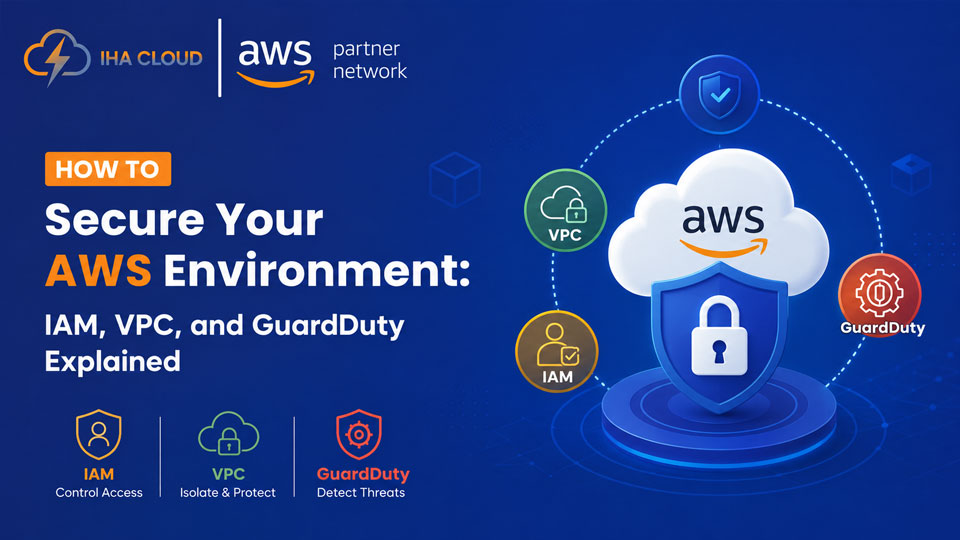
Amazon GuardDuty analyzes AWS activity and related data sources to identify potential threats. AWS CloudTrail records API activity, helping teams investigate what happened, when it happened, and which identity or service was involved.
For a deeper look at building an auditable AWS environment, see our guide to AWS CloudTrail and Config.
Use case: If unusual API activity suggests compromised credentials, logging and threat detection can give security teams the information needed to investigate and respond quickly.
5. Prepare for What Happens Next
Detection only helps if an organization knows how to respond.
Security teams need defined escalation paths, incident-response procedures, centralized visibility, and repeatable processes for addressing findings.
For larger AWS environments, AWS Security Hub can help consolidate security findings and provide a broader view of security posture. Services such as Amazon Inspector and Amazon Macie provide additional visibility into vulnerabilities and sensitive data.
The goal isn’t to collect more alerts. It’s to turn security signals into action.
Security Isn’t About Adding More AWS Tools
Enabling more security services doesn’t automatically create a secure environment.
What matters is how architecture, identity, automation, monitoring, policies, and operational processes work together.
That approach should continue into development and deployment, where security checks can identify issues before they reach production. Our guide to building a DevSecOps pipeline explores how to integrate security into CI/CD workflows.
For example, GuardDuty can identify suspicious activity, but someone still needs to review critical findings and know how compromised credentials should be contained.
Security maturity isn’t measured by the number of tools enabled. It’s measured by how effectively those controls reduce risk and support a repeatable response.
Build Security Into AWS From Day One
A foundation-first approach starts before workloads reach production.
Teams should ask:
- Who needs access to this resource?
- What data is sensitive?
- Where should it be stored?
- How will activity be logged?
- How will suspicious behavior be detected?
- What happens if credentials are compromised?
- Who is responsible for responding?
- How will controls evolve as the environment changes?
For a startup, this might mean establishing IAM, logging, encryption, networking, and account-management standards early.
For an enterprise, it could mean centralized visibility and consistent controls across multiple AWS accounts and environments.
The same principle applies during migration. Security, identity, logging, networking, governance, and monitoring should be considered as part of the initial AWS environment rather than treated as post-migration fixes. See our guide to planning an AWS migration for more on these foundational decisions.
Build a Cloud Environment That Is Secure by Design
AWS environments constantly change. New accounts are created, workloads move, teams grow, and applications become more interconnected.
That change can introduce new access paths, configurations, and operational risks. Security controls need to evolve with the environment—not catch up with it afterward.
The question isn’t whether your AWS environment will change. It will. The question is whether your security foundation is designed to change with it.
Security isn’t something you bolt onto a cloud environment. It’s part of how you build one.