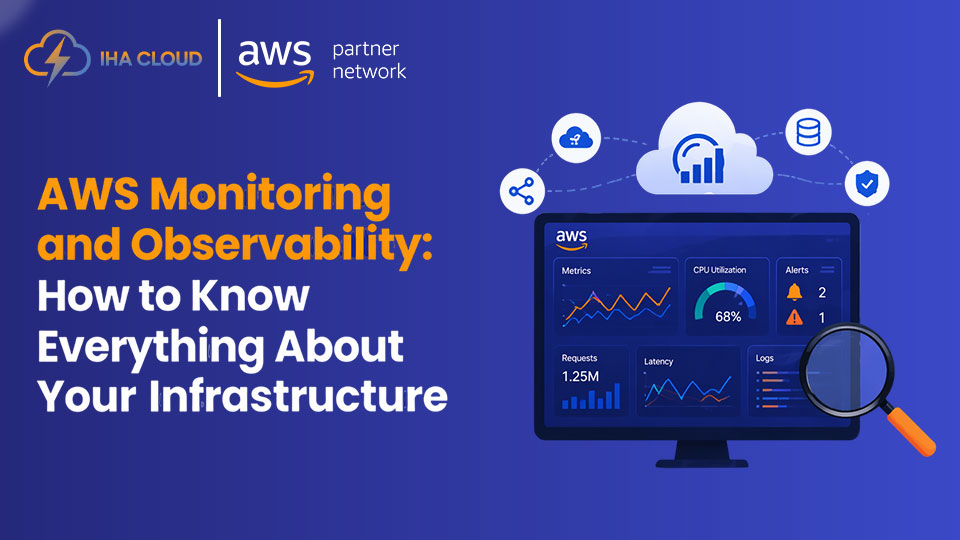
You cannot manage what you cannot see. In complex AWS environments — multiple services, microservices, databases, queues, and serverless functions — understanding what’s happening at any given moment requires a comprehensive observability strategy.
Monitoring tells you something is wrong. Observability tells you why. The difference can be the gap between a 5-minute incident and a 5-hour outage. At IHA Cloud, observability is built into every production environment we manage.
The Three Pillars of Observability
Metrics — Numeric measurements over time: CPU utilisation, request latency, error rate, queue depth. Metrics tell you the current state of your system.
Logs — Detailed records of events: application errors, access logs, audit trails. Logs tell you what happened and in what order.
Traces — End-to-end visibility into a single request as it flows through multiple services. Traces tell you where time was spent and where failures occurred.
AWS Native Observability Stack
Amazon CloudWatch (Metrics + Logs)
CloudWatch is the core of AWS observability. Every AWS service publishes metrics to CloudWatch automatically.
Key capabilities:
- CloudWatch Metrics — Built-in metrics for EC2, RDS, Lambda, ALB, and 100+ services
- CloudWatch Logs — Centralised log storage and search for applications and AWS services
- CloudWatch Alarms — Trigger alerts or auto-remediation when metrics breach thresholds
- CloudWatch Dashboards — Real-time visualisation of infrastructure and application health
- CloudWatch Contributor Insights — Identify top contributors to high-volume log patterns
AWS X-Ray (Distributed Tracing)
X-Ray provides end-to-end tracing for distributed applications. When a user request touches API Gateway, Lambda, RDS, and an external API — X-Ray shows you the complete path, latency at each step, and where errors occur.
Essential for: Microservices architectures, serverless applications, and any system where a single user request touches multiple services.
Amazon OpenSearch Service (Log Analytics)
For large-scale log analytics, IHA Cloud deploys OpenSearch — formerly Elasticsearch — to index and analyse logs from across the entire infrastructure. Combined with Kibana dashboards, OpenSearch enables powerful search, pattern detection, and long-term log retention for compliance.
Building an IHA Cloud Observability Framework
Step 1 – Unified Log Aggregation: Ship all application and infrastructure logs to CloudWatch Logs using the CloudWatch Agent or Fluent Bit on ECS/EKS.
Step 2 – Custom Application Metrics: Instrument applications to publish custom CloudWatch metrics — API response times, business events, queue processing rates.
Step 3 – Distributed Tracing: Enable X-Ray on API Gateway, Lambda, and application code to trace requests end-to-end.
Step 4 – Alerting Strategy: Define alert tiers — critical (page immediately), warning (ticket), informational (log only). Avoid alert fatigue by alerting on symptoms not causes.
Step 5 – Dashboards: Build CloudWatch dashboards showing the golden signals for every service: latency, traffic, errors, and saturation.
Step 6 – Runbooks: Every alert links to a runbook that tells the on-call engineer exactly what to check and what actions to take.
Observability for Managed Services Clients
For IHA Cloud’s managed services clients, we build and maintain a complete observability stack — including 24/7 alert monitoring, incident response, and monthly availability and performance reports.