Cloud spending is often the fastest-growing line item on a technology budget — and frequently the least well understood. Engineers provision resources without visibility into cost. Finance teams receive a bill they can’t interpret. Business leaders struggle to connect cloud spend to business outcomes.
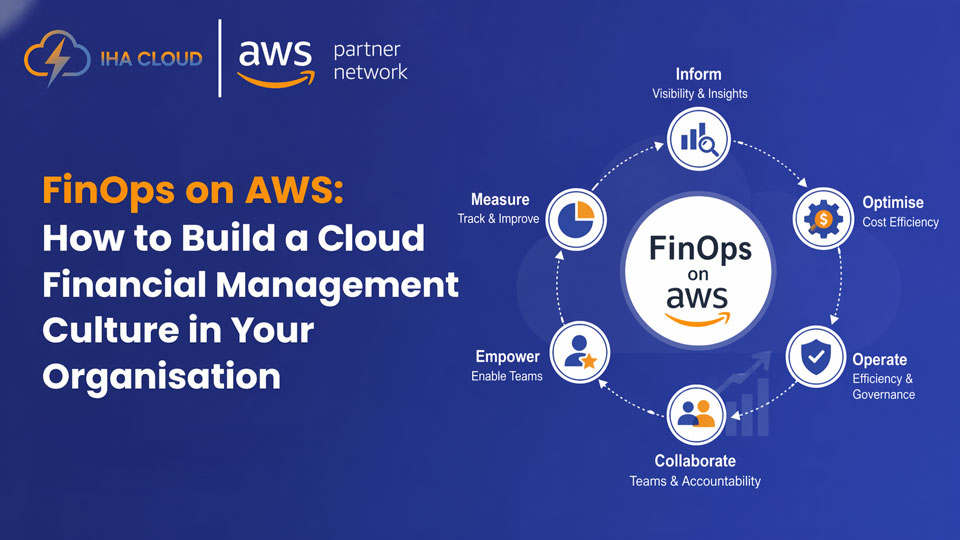
FinOps — cloud financial management — solves this by creating shared accountability for cloud costs across finance, engineering, and business teams. At IHA Cloud, we help organisations implement FinOps practices that bring cloud spending under control without slowing down innovation.
What is FinOps?
FinOps is a practice that combines financial accountability with cloud operations. It’s not just about cutting costs — it’s about making informed, intentional decisions about where cloud money is spent and ensuring every rupee delivers business value.
The FinOps Foundation defines three phases of maturity:
- Crawl – Basic visibility into cloud costs, tagging, and reporting
- Walk – Showback and chargeback by team, allocation of reserved capacity, regular cost reviews
- Run – Automated anomaly detection, real-time forecasting, commitment-based purchasing at scale
The Three Core FinOps Principles
Visibility: Every team must be able to see what they’re spending. Without tagging and allocation, cost ownership is impossible.
Accountability: Engineering teams own the cost of what they build. Finance provides guardrails. Business leaders make prioritisation decisions.
Optimisation: Continuous improvement — not a one-time cleanup — is the goal.
Building FinOps on AWS: Practical Steps
Step 1: Implement a Tagging Strategy
Tags are the foundation of cost allocation. Every AWS resource must be tagged with at minimum: environment (prod/dev/staging), team or cost centre, project, and owner.
Step 2: Enable AWS Cost and Usage Reports (CUR)
CUR provides the most granular billing data available. Feed it into AWS Athena and QuickSight to build custom dashboards for each team.
Step 3: Set Up AWS Budgets and Alerts
Create budgets per account, per team, and per service. Configure alerts at 80% and 100% of budget thresholds so teams are notified before overspending occurs.
Step 4: Establish Regular Cost Review Cadence
Monthly cloud cost review meetings with engineering leads and finance ensure cost trends are visible and anomalies are addressed quickly.
Step 5: Optimise Commitments Strategically
Purchase Savings Plans and Reserved Instances based on 90-day utilisation baselines. Review commitments quarterly and adjust as workloads evolve.
Step 6: Automate Cost Governance
Use AWS Config rules and Service Control Policies (SCPs) to enforce tagging compliance, prevent deployment of oversized instance types in dev, and block creation of resources in unapproved regions.
Common FinOps Mistakes to Avoid
- Treating FinOps as a finance-only initiative — engineering buy-in is essential
- Buying Reserved Instances before understanding actual usage patterns
- Ignoring data transfer and NAT Gateway costs, which can be surprisingly large
- Optimising for cost alone without considering performance and reliability trade-offs
How IHA Cloud Enables FinOps
IHA Cloud’s FinOps engagement includes tagging strategy design, CUR setup and dashboard creation, Savings Plan analysis and purchase recommendations, and ongoing monthly cost governance reviews. We act as your FinOps partner — keeping your cloud financially healthy as you scale.