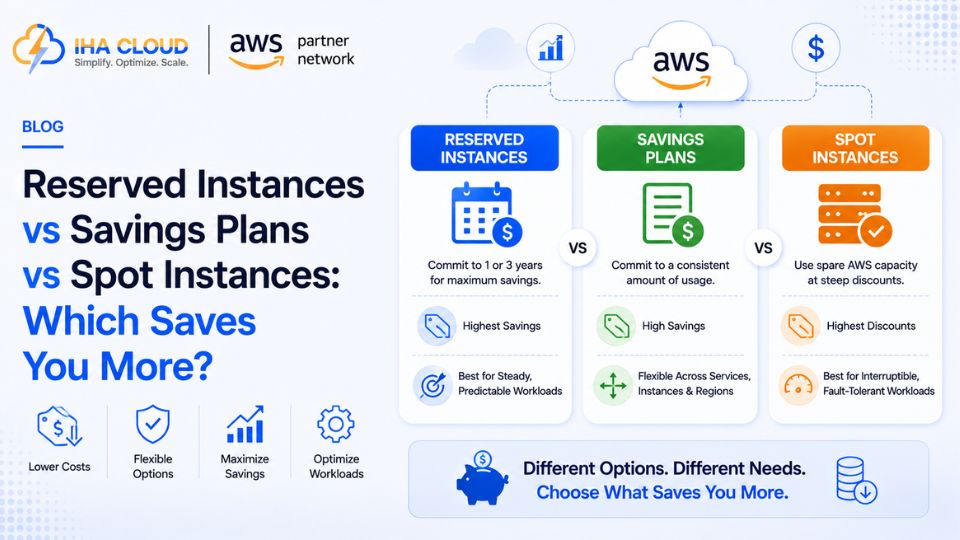
On-Demand pricing is the most flexible way to run AWS compute, and also the most expensive. Once a workload’s usage pattern becomes predictable, there are three ways to reduce that cost significantly — and choosing the right one depends entirely on how consistent your usage actually is.
Reserved Instances
You commit to a specific instance type, in a specific region, for a 1 or 3-year term, in exchange for a discount of up to 72% off On-Demand pricing.
- Discount is tied to a specific instance family and region
- Available as Standard (larger discount, less flexibility) or Convertible (smaller discount, can change instance types)
- Best when you know exactly which instance type will run continuously for the long term
Savings Plans
A more flexible commitment — you commit to a dollar amount of compute usage per hour, rather than a specific instance type, for a 1 or 3-year term.
- Applies automatically across instance families, sizes, and even between EC2 and Fargate/Lambda in some plans
- Slightly less discount than a Reserved Instance in some cases, but far more flexibility as your architecture evolves
- Best for businesses that know their overall compute spend will stay steady, but expect specific instance types to change over time
Spot Instances
Spare AWS compute capacity offered at discounts of up to 90% off On-Demand pricing, with the tradeoff that AWS can reclaim the instance with a two-minute warning.
- Best for fault-tolerant, flexible workloads — batch processing, CI/CD build agents, big data analysis
- Not suitable for anything that cannot tolerate sudden interruption, like a production database
- Often combined with Auto Scaling Groups that mix On-Demand and Spot to balance cost and reliability
Choosing Between Them
- Steady, predictable workload on the same instance type for years → Reserved Instances
- Steady overall spend, but instance types or services may change → Savings Plans
- Flexible, interruption-tolerant workloads → Spot Instances
- Unpredictable or short-term workloads → stay on On-Demand
A Realistic Approach
Most cost-optimized AWS accounts use a mix of all three: Savings Plans covering the predictable baseline load, Spot Instances handling batch and flexible workloads, and On-Demand covering short-term spikes above the baseline. Reviewing AWS Cost Explorer’s recommendations regularly — rather than committing once and forgetting about it — is what keeps this mix aligned with how the workload actually evolves over time.