IHA Cloud

Open Source

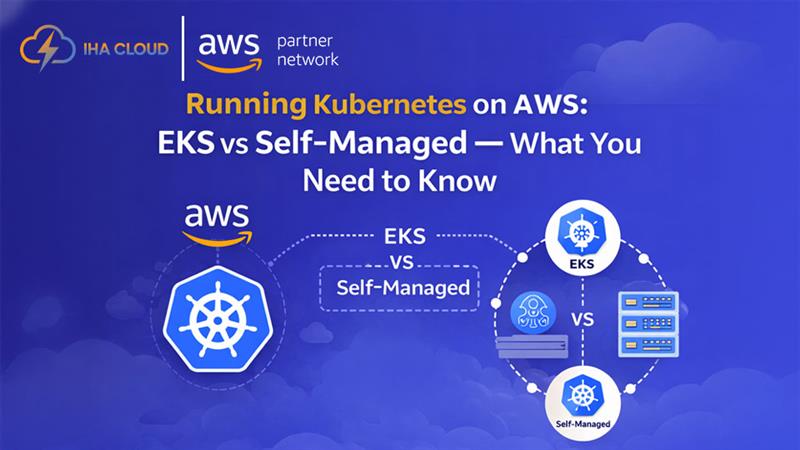
Running Kubernetes on AWS: EKS vs Self-Managed

Running Kubernetes on AWS: EKS vs Self-Managed — What You Need to Know 

Containers have transformed how modern applications are built and deployed. But running containers at scale requires an orchestration layer — and Kubernetes has become the industry standard. If you’re running containers on AWS, you have two main options: Amazon Elastic Kubernetes Service (EKS) or a self-managed Kubernetes cluster on EC2.  Choosing the wrong approach can cost your team months of effort and thousands of dollars. Here’s what you need to know.  What is Amazon EKS?  Amazon EKS is AWS’s fully managed Kubernetes service. AWS handles the control plane — the master nodes, API server, etcd, and cluster upgrades — so your team only manages worker nodes and workloads.  Key benefits of EKS:  No control plane management overhead  Deep integration with AWS services (IAM, ALB, VPC, CloudWatch)  Automatic Kubernetes version upgrades  Managed node groups and Fargate support for serverless containers  SOC 2, ISO 27001, and PCI DSS compliant out of the box  Self-Managed Kubernetes on EC2  Some teams choose to run Kubernetes themselves using tools like kubeadm or kops on EC2 instances.  When this might make sense:  You need highly specific Kubernetes configurations not supported by EKS  You want full control over every component including the control plane  Cost optimisation at very large scale (though this rarely outweighs operational cost)  Challenges:  Your team owns all upgrades, patches, and control plane failures  High operational burden on engineering teams  Harder to integrate with AWS-native services  EKS Cost Considerations  EKS charges $0.10 per cluster per hour (approximately $72/month per cluster) plus EC2 or Fargate costs for worker nodes. For most production workloads, this is excellent value given the management overhead it removes.  Cost optimisation tips for EKS:  Use Spot Instances for non-critical node groups  Enable Karpenter for intelligent autoscaling  Use Fargate only for bursty, unpredictable workloads  Right-size pods using Vertical Pod Autoscaler (VPA)  IHA Cloud’s EKS Implementation Approach  IHA Cloud designs and manages EKS clusters for production workloads including:  Cluster architecture design with multi-AZ node groups  IAM Roles for Service Accounts (IRSA) for secure pod permissions  ALB Ingress Controller setup for traffic routing  Helm chart deployment and GitOps pipeline integration  CloudWatch Container Insights for observability  Cluster autoscaling with Karpenter  Who Should Move to Kubernetes?  Kubernetes is the right choice when you have multiple microservices, need consistent deployment pipelines, or require fine-grained resource allocation across teams. For simpler applications, AWS ECS or Elastic Beanstalk may be a better fit.  Ready to run containers reliably on AWS? Contact IHA Cloud for an EKS Assessment

Running Kubernetes on AWS: EKS vs Self-Managed — What You Need to Know  Read More »

what is kubernetes and how its works?

What Is Kubernetes? A Complete Guide for 2026

In today’s fast-paced digital landscape, businesses are under constant pressure to deliver applications faster, scale seamlessly, and maintain high availability—all while keeping costs under control. Traditional infrastructure models simply can’t keep up with these demands anymore. This is where Kubernetes comes in. Kubernetes has become the backbone of modern cloud-native application development. Whether you’re running a startup, scaling an SaaS product, or managing enterprise workloads, Kubernetes provides the flexibility and automation needed to stay competitive in 2026. But despite its popularity, many businesses still struggle to understand what Kubernetes actually is, how it works, and why it’s so important. In this guide, we’ll break everything down in simple, practical terms—so you can understand not just the “what,” but also the “why” and “how.” What Is Kubernetes? A Simple Explanation At its core, Kubernetes is an open-source platform designed to automate the deployment, scaling, and management of containerized applications. Let’s simplify that. Imagine you have an application made up of multiple components—frontend, backend, database, APIs. Instead of running everything on a single server, modern applications are broken into smaller pieces called containers. Kubernetes helps you: In short, Kubernetes acts like a smart manager for your applications. Containers vs Virtual Machines: Why Kubernetes Exists Before Kubernetes, businesses relied heavily on virtual machines (VMs). Virtual Machines (Old Approach) Containers (Modern Approach) However, as companies started using hundreds or even thousands of containers, managing them manually became nearly impossible. That’s where Kubernetes steps in. Why Kubernetes Was Created Kubernetes solves key challenges like: Key Benefits of Kubernetes for Businesses Kubernetes isn’t just a technical upgrade—it’s a business advantage. 1. Automatic Scaling Kubernetes can automatically scale your applications based on traffic. If your app suddenly gets a spike in users, Kubernetes adds more resources instantly. 2. High Availability If a container crashes, Kubernetes automatically replaces it—ensuring your application stays live without manual intervention. 3. Cost Optimization Instead of over-provisioning servers, Kubernetes optimizes resource usage—helping businesses reduce cloud costs significantly. 4. Faster Deployments With Kubernetes, you can deploy updates without downtime using rolling updates and rollbacks. 5. Multi-Cloud Flexibility Kubernetes allows you to run applications across multiple cloud providers without vendor lock-in. How Kubernetes Fits Into Modern Cloud Architecture Kubernetes is a core part of cloud-native architecture. Here’s how it typically fits: This setup allows businesses to: Core Components of Kubernetes (Beginner-Friendly Breakdown) To understand how Kubernetes works, you need to know its basic components. 1. Cluster A Kubernetes cluster is a group of machines (nodes) that run your applications. 2. Nodes Nodes are the actual servers (virtual or physical) where containers run. 3. Pods A pod is the smallest unit in Kubernetes. It contains one or more containers. 4. Control Plane This is the brain of Kubernetes. It manages everything—decisions, scheduling, scaling. 5. Services Services allow different parts of your application to communicate with each other. Why Businesses Are Adopting Kubernetes Rapidly In 2026, Kubernetes adoption is no longer optional for many businesses—it’s becoming the standard. Key Reasons for Adoption 1. Digital Transformation Companies are moving from monolithic apps to microservices—and Kubernetes is perfect for that. 2. Need for Speed Faster deployments mean faster innovation and better customer experience. 3. Scalability Demands Modern apps need to handle unpredictable traffic—Kubernetes makes scaling seamless. 4. DevOps Integration Kubernetes works perfectly with CI/CD pipelines, enabling continuous delivery. Common Misconceptions About Kubernetes Despite its benefits, Kubernetes is often misunderstood. “Kubernetes is only for big companies” Not true. Startups use Kubernetes to scale efficiently from day one. “It’s too complex to manage” While Kubernetes has a learning curve, managed services and expert partners simplify everything. “It’s expensive” In reality, Kubernetes helps reduce long-term infrastructure costs through better resource utilization. How Kubernetes Works: A Behind-the-Scenes Look Now that you understand what Kubernetes is and why it matters, let’s break down how it actually works in real-world environments. At a high level, Kubernetes follows a declarative model. This means:You tell Kubernetes what you want, and it figures out how to achieve it. For example: This self-healing and automated behavior is what makes Kubernetes so powerful. Kubernetes Architecture Explained (Simple Terms) Kubernetes architecture is divided into two main parts: 1. Control Plane (The Brain) This is responsible for managing the entire cluster. It includes: API Server The entry point for all commands. Every interaction with Kubernetes goes through this. Scheduler Decides where to run containers based on resource availability. Controller Manager Ensures the desired state matches the actual state (e.g., if a pod fails, it creates a new one). etcd A key-value database that stores all cluster data and configuration. 2. Worker Nodes (The Execution Layer) These are the machines where your applications actually run. Each node contains: Kubelet Ensures containers are running as expected on the node. Container Runtime Software like Docker or containerd that runs containers. Kube Proxy Handles networking and communication between services. Understanding Pods, Deployments, and Services To use Kubernetes effectively, you need to understand its core objects. 1. Pods: The Smallest Unit A pod contains one or more containers that run together. Think of it as: A wrapper that holds your application containers 2. Deployments: Managing Your Applications Deployments define how your application should run. They help with: Example:You can update your app version without downtime using deployments. 3. Services: Connecting Everything Services allow different pods to communicate with each other. They provide: How Kubernetes Handles Scaling Automatically One of Kubernetes’ biggest advantages is auto-scaling. Horizontal Pod Autoscaler (HPA) This automatically increases or decreases the number of pods based on: Example:If your website traffic spikes, Kubernetes adds more pods to handle the load. Cluster Autoscaler This adjusts the number of nodes in your cluster. This ensures you only pay for what you use. Self-Healing: Why Kubernetes Is Highly Reliable Kubernetes is designed to keep your applications running—even when things go wrong. How Self-Healing Works This makes your applications: Rolling Updates and Zero Downtime Deployments Deploying updates without downtime is critical for modern businesses. Kubernetes makes this easy with rolling updates. How It Works Rollback Feature If something

What Is Kubernetes? A Complete Guide for 2026 Read More »

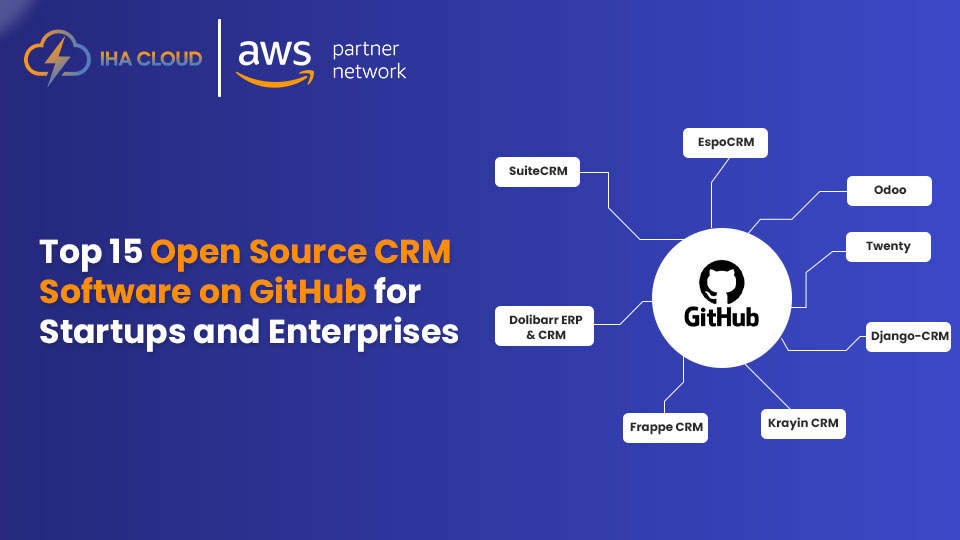
Top 15 Open Source CRM Software on GitHub

Top 15 Open Source CRM Software on GitHub (2025)

In today’s competitive digital world, businesses rely heavily on Customer Relationship Management (CRM) software to manage leads, build stronger client relationships, and boost sales performance. While there are many premium CRM platforms available, they often come with expensive licensing fees and limited flexibility. This is why more companies are turning to open source CRM software on GitHub. The advantage of using open source CRM software is the freedom to customize and scale the platform as your business grows. Whether you are a startup seeking a lightweight CRM or a large enterprise requiring advanced features like workflow automation, analytics, and integrations, open-source solutions provide unmatched flexibility without heavy costs. By exploring GitHub, businesses can access some of the most innovative CRM solutions built by global communities of developers. These tools are constantly updated, often come with a wide range of plugins and APIs, and allow you to tailor workflows to your unique processes. In this blog, we highlight the Top 15 Open Source CRM Software on GitHub that can help you manage sales, streamline marketing, enhance customer support, and drive business growth. From popular names like SuiteCRM, Vtiger, and EspoCRM to specialized platforms like CiviCRM for nonprofits and Corteza CRM for privacy-focused businesses, this curated list covers reliable tools for businesses of all sizes. If you’re looking to boost your business with CRM software that is customizable, cost-effective, and backed by active open-source communities, these top picks from GitHub are worth exploring. 📝 What is Open Source CRM Software? Open source CRM software is a customer relationship management solution where the source code is publicly available. This means businesses can download, use, and customize the platform according to their specific needs without paying high licensing fees. Unlike proprietary CRM tools that limit flexibility and often lock businesses into subscriptions, open source CRM allows for greater control, scalability, and innovation. Organizations can modify workflows, add integrations, and ensure that the software aligns perfectly with their processes. Key capabilities often include: 🏆 Why Choose Open Source CRM Software from GitHub? 1. Cost-Effectiveness Open source CRM solutions are usually free to download and use, with costs limited to hosting, support, and custom development. This makes them a practical choice for startups and growing businesses. 2. Flexibility and Customization Because the source code is open, companies can adapt the CRM to their business model. Whether you need to modify sales pipelines, integrate new APIs, or automate unique workflows, open source tools provide the flexibility to do so. 3. Community-Driven Development CRMs available on GitHub are supported by large communities of developers. These communities constantly improve features, fix bugs, and offer regular updates, ensuring the software remains reliable and up to date. 4. No Vendor Lock-In With open source CRM, businesses are not dependent on a single vendor for updates, support, or licensing renewals. This independence reduces long-term risks and allows for more competitive pricing in customization and maintenance. 5. Scalability Open source CRM platforms can scale easily as your customer base and team size grow. Businesses can add modules, increase performance capacity, and integrate new tools without replacing the entire system. 6. Transparency and Security Since the source code is publicly accessible, businesses can audit the software for security and compliance. This transparency makes it easier to trust the platform for handling sensitive customer data. 🔍 Which Type of Open Source CRM Should You Choose? 1. For Startups and Small Businesses Choose lightweight CRM platforms that are easy to install, simple to use, and require minimal server resources. These solutions help in managing basic sales and customer relationships without overwhelming teams with advanced enterprise features. 2. For Sales-Driven Teams Select CRM solutions that prioritize pipeline management, workflow automation, and marketing campaigns. Such platforms improve lead scoring, streamline follow-ups, and enhance sales performance. 3. For eCommerce or B2B Businesses Opt for CRMs that specialize in multi-channel tracking and advanced analytics. These tools help businesses capture data from different channels—like online stores, social media, and email—to create unified customer profiles. 4. For Nonprofits and NGOs Some open source CRMs are designed specifically for fundraising, donor management, and event tracking. They often integrate with content management systems (CMS) like WordPress or Drupal for seamless campaign management. 5. For Enterprises and Large Organizations Choose enterprise-grade CRM solutions with multi-tenant architecture, robust security, and integration with ERP systems. These platforms can handle high volumes of data and complex workflows across departments. 6. For Privacy-Focused Businesses Consider open source CRMs that emphasize data security, compliance (such as GDPR), and modular customization. These platforms are especially valuable for organizations in regulated industries. 📈 Additional Factors to Consider When selecting an open source CRM from GitHub, evaluate: Quick Comparison: Top 15 Open Source CRM Software on GitHub # CRM Software GitHub Link Best For Key Features 1 SuiteCRM SuiteCRM on GitHub SMBs & Enterprises Sales & marketing automation, workflows, reporting, API integrations 2 EspoCRM EspoCRM on GitHub Startups & SMBs User-friendly UI, workflow automation, REST API, customizable modules 3 YetiForce CRM YetiForce on GitHub Growing Businesses 100+ modules, advanced security, VoIP & email integration, GDPR compliance 4 OroCRM OroCRM on GitHub eCommerce & B2B Multi-channel tracking, workflow engine, segmentation, Symfony-based 5 Vtiger CRM Vtiger on GitHub Sales & Support Teams Lead management, email campaigns, inventory, helpdesk, integrations 6 Dolibarr ERP & CRM Dolibarr on GitHub Startups & Small Enterprises Unified ERP + CRM, invoicing, project management, marketplace add-ons 7 CiviCRM CiviCRM on GitHub Nonprofits & NGOs Donor & member management, event campaigns, CMS integration, analytics 8 X2CRM X2CRM on GitHub Marketing & Sales Teams Lead scoring, social CRM, workflow automation, advanced analytics 9 Axelor Open Suite (CRM Module) Axelor on GitHub Medium & Large Businesses CRM + ERP + BPM, automation workflows, modern UI, integration-ready 10 Zurmo CRM Zurmo on GitHub SMBs & Teams Seeking Engagement Gamification, sales automation, marketing campaigns, API-driven 11 EspoPortal CRM (Extensions) EspoPortal on GitHub Service-Oriented Businesses Customer self-service portals, knowledge base, notifications, role-based access 12 Apache OFBiz (CRM Component) Apache OFBiz on GitHub Large Enterprises CRM +

Top 15 Open Source CRM Software on GitHub (2025) Read More »

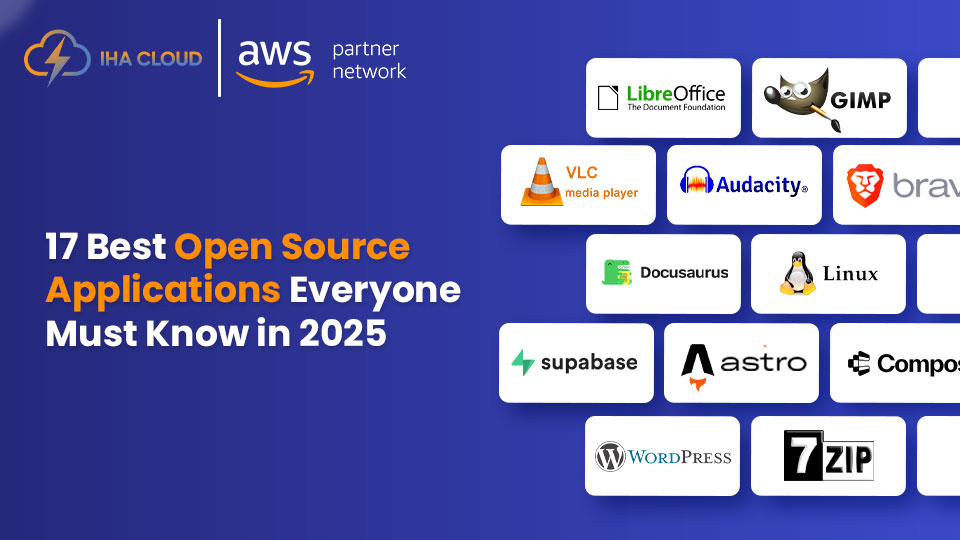
17 Best Open Source Applications to Explore in 2025

17 Best Open Source Applications to Explore in 2025

In today’s fast-changing digital world, businesses and individuals rely heavily on software to manage everything — from communication and collaboration to data storage and project management. While premium software solutions are popular, open source applications have emerged as a powerful alternative for 2025. The demand for the best open source applications is growing rapidly because they offer flexibility, cost savings, and community-driven innovation. Unlike proprietary software, open source tools allow you to access the source code, customize the platform to meet your unique needs, and enjoy frequent updates from a global community of developers. Whether you’re a startup looking for affordable tools, a growing enterprise in need of robust solutions, or a freelancer exploring new ways to boost productivity, open source applications in 2025 provide versatile options. They help cut down costs without compromising on quality or performance. In this blog, we’ll explore the 17 best open source applications to explore in 2025. These tools cover a wide range of business and personal needs — including content management, project collaboration, customer relationship management, file sharing, and more. By the end, you’ll discover why open source software is no longer just an alternative but often the first choice for modern businesses. Quick comparison table: 17 Best Open Source Applications to Explore in 2025 No. Open Source Application Primary Use Key Features Best For 1 WordPress Content Management System (CMS) Customizable themes & plugins, SEO-friendly, user-friendly editor Blogs, websites, e-commerce 2 Nextcloud File Sharing & Collaboration Secure cloud storage, file sync, team collaboration Businesses & remote teams 3 Odoo ERP & Business Management CRM, sales, inventory, accounting, customizable modules Small to medium businesses 4 SuiteCRM Customer Relationship Management (CRM) Lead & pipeline management, analytics, integrations Sales & marketing teams 5 GIMP Image Editing Advanced photo editing tools, open-source Photoshop alternative Designers & content creators 6 LibreOffice Office Productivity Suite Word processor, spreadsheets, presentations Individuals & businesses 7 Blender 3D Modeling & Animation 3D modeling, rendering, video editing, VFX Animators, game designers 8 OpenProject Project Management Task tracking, Gantt charts, time tracking, collaboration Teams & project managers 9 phpBB Online Forum Platform Community forums, customizable templates, plugins Community-driven businesses 10 Dolibarr ERP & CRM Suite Billing, inventory, HR, project management SMEs & freelancers 11 Discourse Modern Online Forum & Community Platform Real-time notifications, moderation tools, gamification Online communities & brands 12 ERPNext ERP & Business Software Accounting, HR, inventory, CRM, project management Enterprises & startups 13 Magento Open Source E-Commerce Platform Product management, checkout options, SEO tools Online retailers 14 Mautic Marketing Automation Email campaigns, lead scoring, segmentation, analytics Marketing teams 15 Rocket.Chat Team Communication Platform Real-time chat, video calls, integrations, secure messaging Remote teams & enterprises 16 ONLYOFFICE Office Productivity Suite Document editing, spreadsheets, cloud collaboration Teams & businesses 17 Zabbix IT Infrastructure Monitoring Network & server monitoring, dashboards, alerts IT administrators & DevOps Here is the detailed description of 17 Best Open Source Applications to Explore 1. LibreOffice LibreOffice is one of the most reliable and widely used open-source office suites. It’s a full-featured alternative to Microsoft Office, making it ideal for businesses, students, and professionals who want to save costs without compromising on productivity. Detailed Overview:LibreOffice includes Writer (word processing), Calc (spreadsheets), Impress (presentations), Draw (vector graphics), Base (database management), and Math (formula editing). The suite is compatible with a variety of document formats like DOCX, XLSX, and PPTX, allowing easy sharing and collaboration. Why It Stands Out: Ideal Use Case:Small businesses, NGOs, and startups can rely on LibreOffice for document editing, reports, presentations, and budget management without spending on expensive software subscriptions. 2. OnlyOffice OnlyOffice is a powerful collaborative office suite designed for modern businesses that need real-time teamwork. It competes closely with Google Workspace and Microsoft 365 but offers better control with both cloud and self-hosted deployments. Detailed Overview:OnlyOffice includes editors for documents, spreadsheets, and presentations, all of which support major file formats. It’s especially popular with teams that prioritize data privacy and want to host their collaboration tools on their own servers. Key Strengths: Ideal Use Case:Startups and growing businesses looking for a cost-effective yet secure alternative to cloud office suites can rely on OnlyOffice for collaboration and productivity. 3. Nextcloud Nextcloud is a self-hosted, open-source collaboration platform that lets businesses manage their own cloud storage, file sharing, and communication tools without relying on third-party cloud providers. Detailed Overview:Nextcloud is often compared to services like Dropbox and Google Drive but stands out because it’s self-hosted, giving businesses complete control over their data. It includes features like file synchronization, video conferencing, chat, calendar, and email integration. Why It’s a Game-Changer: Ideal Use Case:Organizations that need secure, private cloud storage and collaboration tools—especially in industries like healthcare, legal, or education—can rely on Nextcloud to maintain compliance and reduce dependency on big tech platforms. 4. Mattermost Mattermost is an open-source messaging and collaboration platform designed for technical and operational teams. It’s often called a self-hosted alternative to Slack because it provides similar messaging and collaboration features with added privacy and control. Detailed Overview:Mattermost offers team messaging channels, file sharing, voice and video calls, and integrations with popular DevOps tools. It’s built for developers, engineers, and businesses that require secure, compliant internal communication. Key Features That Stand Out: Ideal Use Case:Enterprises and growing businesses that handle sensitive projects or need strong integration with DevOps workflows benefit most from Mattermost, as it combines secure communication with collaborative productivity. 5. SuiteCRM SuiteCRM is one of the most popular and robust open-source CRM platforms, widely used by small, medium, and large businesses to manage customer relationships. It’s often recognized as a cost-effective alternative to Salesforce because it provides a comprehensive set of features without the heavy licensing costs. Detailed Overview:SuiteCRM helps businesses streamline their sales, marketing, and customer service processes in one platform. It offers tools for lead and opportunity management, email marketing, campaign tracking, reporting, and workflow automation. Why It Stands Out: Ideal Use Case:Organizations looking for a budget-friendly yet feature-rich CRM solution—especially startups and SMEs—can use SuiteCRM to enhance customer engagement,

17 Best Open Source Applications to Explore in 2025 Read More »