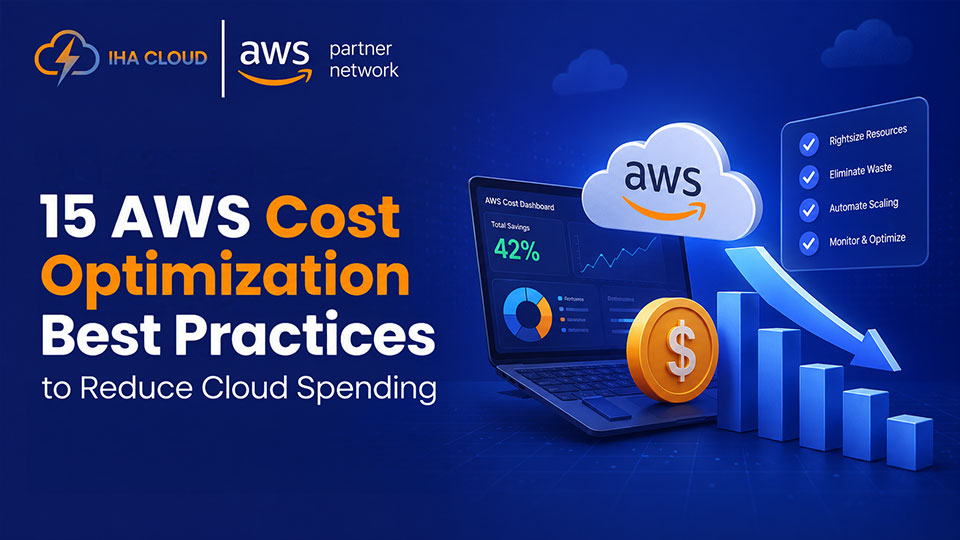
Cloud computing offers businesses the flexibility to scale resources on demand, but without proper management, costs can quickly spiral out of control. As organizations expand their cloud infrastructure, even small inefficiencies can lead to significant monthly expenses. From underutilized instances and unnecessary storage to inefficient data transfer and poor resource management, there are many factors that contribute to rising AWS bills.
Implementing effective AWS Cost Optimization Best Practices can help organizations gain better control over cloud spending while maintaining performance, reliability, and scalability. In this guide, we’ll explore 15 AWS Cost Optimization Best Practices to Reduce Cloud Costs that can help reduce unnecessary costs and maximize the value of your AWS investment.
1. Right-Size Your AWS Resources
One of the most common reasons businesses overspend on AWS is using resources that are larger than necessary. Many organizations launch instances based on future expectations and then forget to review them later. As a result, they continue paying for unused computing power month after month.
Start by analyzing CPU, memory, storage, and network usage across your workloads. If an EC2 instance consistently uses only a small percentage of its allocated resources, consider moving to a smaller instance type. AWS provides tools such as CloudWatch and Compute Optimizer that can help identify underutilized resources and recommend more cost-effective configurations.
Regular right-sizing ensures that you’re paying only for the resources you actually need while maintaining application performance.
2. Take Advantage of Reserved Instances and Savings Plans
If your workloads run continuously, relying entirely on on-demand pricing can significantly increase your AWS bill. Reserved Instances (RIs) and Savings Plans offer substantial discounts in exchange for committing to a certain level of usage over a one- or three-year period.
For predictable workloads such as production databases, web servers, and business-critical applications, these pricing models can reduce costs by a considerable margin compared to standard on-demand rates.
Before purchasing commitments, review historical usage patterns to understand which resources remain active consistently. This allows you to maximize savings without overcommitting to resources you may not need in the future.
3. Use Auto Scaling to Match Demand
Many applications experience fluctuating traffic throughout the day, week, or year. Running infrastructure at peak capacity around the clock leads to unnecessary spending during low-traffic periods.
AWS Auto Scaling automatically adjusts resource capacity based on demand. During traffic spikes, additional instances can be launched to maintain performance. When demand drops, excess resources are terminated, helping reduce costs without manual intervention.
This approach is particularly valuable for e-commerce stores, SaaS applications, marketing campaigns, and seasonal businesses where traffic patterns are unpredictable. By scaling resources dynamically, organizations can improve both cost efficiency and application performance.
4. Identify and Eliminate Idle Resources
Unused resources are one of the biggest sources of wasted cloud spending. Over time, organizations accumulate unused EC2 instances, unattached EBS volumes, idle load balancers, outdated snapshots, and forgotten test environments.
Conduct regular audits of your AWS environment to identify resources that are no longer serving a business purpose. Many teams create temporary infrastructure for development, testing, or troubleshooting and forget to remove it afterward.
Implement tagging policies and automated cleanup processes to make resource management easier. Removing idle resources can deliver immediate cost savings without affecting production workloads.
5. Optimize Amazon S3 Storage Costs
Amazon S3 is highly scalable and cost-effective, but storage expenses can grow quickly when data is not managed properly. Many businesses store large amounts of data in expensive storage tiers even when that data is rarely accessed.
Review how frequently your data is used and move older files to lower-cost storage classes such as S3 Standard-IA, S3 Glacier Instant Retrieval, or Glacier Deep Archive. AWS Lifecycle Policies can automatically transition data between storage tiers based on predefined rules.
This strategy helps organizations maintain access to important data while significantly reducing long-term storage costs.
6. Leverage Spot Instances for Flexible Workloads
AWS Spot Instances allow you to use spare AWS compute capacity at a much lower cost than On-Demand Instances. In many cases, businesses can achieve substantial savings by running suitable workloads on Spot Instances.
Spot Instances work best for fault-tolerant applications such as batch processing, data analytics, containerized workloads, CI/CD pipelines, and testing environments. Since AWS can reclaim Spot capacity when needed, these instances are not ideal for critical workloads that require uninterrupted availability.
By combining Spot Instances with Auto Scaling and other AWS services, organizations can reduce compute costs while maintaining operational efficiency.
7. Implement a Strong Resource Tagging Strategy
As AWS environments grow, it becomes increasingly difficult to understand where cloud spending is coming from. Without proper visibility, identifying waste and optimizing costs becomes a challenge.
A well-defined tagging strategy allows teams to categorize resources by department, project, application, environment, or cost center. This makes it easier to track spending, allocate budgets, and identify areas where costs can be reduced.
For example, tags such as “Production,” “Development,” or specific project names can help finance and engineering teams understand exactly how cloud resources are being utilized. Consistent tagging also improves reporting and supports better decision-making across the organization.
8. Schedule Non-Production Resources
Development, testing, and staging environments often run 24/7 even though they are only used during business hours. Keeping these resources active overnight, on weekends, or during holidays can lead to unnecessary cloud expenses.
Consider creating schedules that automatically stop and start non-production resources based on usage patterns. AWS services and automation tools can help manage these schedules without requiring manual intervention.
For many organizations, simply shutting down development environments outside working hours can result in noticeable monthly savings while having little to no impact on productivity.
9. Monitor Costs with AWS Cost Management Tools
Cost optimization is not a one-time activity. Without continuous monitoring, cloud expenses can gradually increase as new resources are added and workloads expand.
AWS provides several cost management tools that help businesses track spending and identify optimization opportunities. Services such as AWS Cost Explorer, AWS Budgets, and Cost and Usage Reports provide valuable insights into resource consumption and spending trends.
Setting up budget alerts can help teams detect unexpected cost increases before they become major issues. Regularly reviewing cloud spending data enables organizations to maintain better control over their AWS costs and make informed resource management decisions.
10. Optimize Database Costs
Databases often account for a significant portion of AWS spending, especially as applications scale and data volumes grow. Many organizations provision larger database instances than necessary or fail to review their configurations regularly.
Start by monitoring database performance metrics to determine whether resources are being fully utilized. Consider right-sizing database instances, selecting the appropriate storage type, and enabling features such as storage auto-scaling where applicable.
For workloads with varying demand, managed services like Amazon RDS can help reduce operational overhead while ensuring resources are allocated efficiently. Regular database optimization can improve both performance and cost efficiency.
11. Use Content Delivery Networks to Reduce Infrastructure Costs
Serving content directly from origin servers can increase bandwidth costs and place unnecessary strain on your infrastructure. This becomes especially expensive for websites, media platforms, and global applications with large volumes of traffic.
Using a content delivery network (CDN) helps cache content closer to end users, reducing requests to your origin servers. This lowers data transfer costs, improves website performance, and enhances the user experience.
By reducing the load on backend resources, organizations can often operate with fewer servers while maintaining fast content delivery across multiple regions.
12. Continuously Review and Optimize Data Transfer Costs
Data transfer charges are often overlooked during cloud cost optimization efforts. As applications grow, costs associated with moving data between AWS services, regions, and the internet can become a substantial portion of the overall bill.
Analyze traffic patterns to understand where data transfer charges are occurring. Whenever possible, keep related services within the same availability zone or region to minimize transfer fees. Review architecture decisions that may be generating unnecessary network traffic.
Organizations that actively monitor and optimize data movement can often uncover hidden savings opportunities that would otherwise go unnoticed.
13. Automate Cost Optimization Processes
Manual cost management becomes increasingly difficult as cloud environments grow. Teams often miss optimization opportunities simply because they lack the time to review resources regularly.
Automation can help identify and resolve inefficiencies before they impact your budget. For example, you can automate the shutdown of idle resources, enforce tagging policies, remove unused snapshots, and generate cost reports on a scheduled basis.
By reducing manual effort, automation helps maintain consistent cost control while allowing teams to focus on higher-value business initiatives.
14. Establish Cloud Governance and Cost Accountability
Cost optimization is most effective when it becomes part of an organization’s culture rather than the responsibility of a single team. Without clear ownership, cloud spending can quickly increase as multiple departments create resources independently.
Establish governance policies that define how resources should be provisioned, monitored, and managed. Assign cost ownership to teams or departments and regularly review spending against budgets and business objectives.
When employees understand the financial impact of their cloud usage, they are more likely to make cost-conscious decisions that contribute to long-term savings.
15. Perform Regular AWS Cost Reviews
Cloud environments are constantly evolving. New services are introduced, workloads change, and business requirements shift over time. A cost optimization strategy that works today may not be as effective six months from now.
Schedule regular AWS cost reviews to evaluate spending trends, identify new optimization opportunities, and ensure resources continue to align with business needs. Monthly or quarterly reviews can help uncover unused services, inefficient configurations, and changing usage patterns.
Organizations that consistently assess their cloud environment are better positioned to control costs, improve resource efficiency, and maximize the value they receive from AWS investments.
Conclusion
Reducing cloud expenses is not about cutting resources blindly—it’s about using them more efficiently. By right-sizing workloads, leveraging cost-saving pricing models, automating resource management, optimizing storage, and continuously monitoring usage, businesses can significantly lower their AWS spending without affecting performance.
The key to long-term success is treating cost optimization as an ongoing process rather than a one-time task. Regular reviews, strong governance policies, and proactive monitoring will help ensure your cloud environment remains both efficient and cost-effective. By following these AWS Cost Optimization Best Practices, organizations can improve operational efficiency, maximize return on investment, and build a more sustainable cloud infrastructure for future growth.
Frequently Asked Questions
AWS cost optimization is the process of reducing unnecessary cloud expenses while maintaining application performance, security, and reliability.
AWS provides tools such as AWS Cost Explorer, AWS Budgets, and Cost and Usage Reports to track spending and identify savings opportunities.
Reserved Instances offer discounted pricing for long-term usage commitments, helping businesses save compared to On-Demand pricing.
Common causes include oversized instances, idle resources, unused storage, inefficient data transfers, and lack of cost monitoring.
It’s recommended to review AWS spending monthly or quarterly to identify waste, optimize resources, and maintain cost efficiency.