IHA Cloud

Tools & Software

Top 35 AWS Cost Optimization Tools for 2025

Managing cloud expenses has become a major priority for businesses of every size. As more companies move their applications, data, and operations to AWS, it becomes easier for costs to grow without anyone noticing. Unused resources, oversized servers, old snapshots, and unpredictable workloads can quickly increase monthly bills. That’s why understanding the right cost optimization tools is so important in 2025. This detailed blog guide on Top 35 AWS Cost Optimization Tools for 2025 is designed to help you take full control of your cloud spending in a simple and practical way. Instead of complicated technical language, you’ll find clear explanations of each tool, what it does, and how it can help you save money. From monitoring tools that help you track your budget, to automation tools that stop idle resources, to advanced options like Spot Instances and Graviton processors, each one plays a role in reducing waste and increasing efficiency. Whether you manage a small AWS setup or a large multi-account cloud environment, these tools can help you understand where your money is going, cut unnecessary expenses, and improve the overall performance of your cloud workloads. With the right mix of visibility, automation, and smart planning, AWS cost optimization becomes much easier and more effective. This list gives you everything you need to get started in the right direction. What Is AWS Cost Optimization? AWS cost optimization is the continuous process of managing cloud resources in a smart and efficient way so that you only pay for what you actually need. It involves analyzing usage, understanding spending patterns, and applying strategies that keep your AWS bill under control without affecting performance. Why AWS Cost Optimization Matters When businesses scale, cloud expenses grow very fast if not managed properly. Without proper visibility, unused or oversized resources can silently increase costs. Cost optimization helps you: How to Approach AWS Cost Optimization 1. Understand Your Cloud Usage Start by reviewing consumption patterns across compute, storage, database, network, and serverless services. Identify peaks, unused components, or seasonal variations. Clear tagging and organized cost categories help simplify analysis. 2. Right-Size Your Resources Check if instances, databases, or storage volumes are larger than required. Adjust CPU, RAM, and storage to match real workload needs. Remove idle or rarely used resources and resize environments where possible. 3. Improve Storage Efficiency Different workloads need different storage classes. Move infrequently accessed data to cheaper storage tiers and use automated lifecycle rules to archive or delete old data. This prevents unnecessary long-term storage expenses. 4. Optimize Compute Spending Use flexible pricing models like commitment-based discounts, usage-based billing, and spare capacity options. Match the compute capacity to actual demand with auto scaling, scheduling, and efficient workload placement. 5. Automate Cost Controls Set up alerts for unusual spending, automate shutdown schedules for non-production systems, and use policies to maintain consistent configurations. Automation reduces manual oversight and keeps costs stable. 6. Use Serverless and On-Demand Services Wisely Serverless platforms charge only for actual usage, making them ideal for variable workloads. For steady, predictable workloads, capacity planning and commitment models offer significant savings. 7. Improve Resource Governance Establish clear tagging standards, create cost categories, and use shared billing structures to manage multiple accounts. Good governance prevents duplicate resources and improves visibility across teams. 8. Optimize Data Transfer and Networking Reduce cross-region traffic, use caching layers, and deliver content closer to users. This helps minimize high data transfer charges and improves application performance. 9. Automate Workload Scaling Use powerful auto-scaling mechanisms that adjust capacity based on real-time demand. This ensures you never pay for compute power you don’t need, especially during off-peak periods. 10. Optimize Container and Kubernetes Environments For container-based applications, use smart provisioning, efficient node selection, and right-sized compute environments. This ensures workloads run in the most cost-effective way possible. More Ways to Improve AWS Cost Efficiency Focus on Continuous Monitoring Track performance and costs regularly instead of waiting for monthly bills. Continuous monitoring flags problems early and supports long-term savings. Adopt Modern Architectures Shift to modern compute types, cost-efficient databases, and managed services that are designed to deliver better performance at lower prices. Use Data Analytics Smartly Query only necessary data, compress large datasets, and store hot vs cold data separately. This keeps your analytics workloads cost-efficient. Standardize Policies Across Teams Ensure every team follows the same rules for provisioning, tagging, security, and scaling. A unified strategy reduces waste and improves accountability. Review Costs Frequently Monthly or weekly reviews help identify new opportunities for savings, unused resources, or optimization gaps. Cost optimization is an ongoing practice, not a one-time task. Quick Comparison: 35 Best AWS Cost Optimization Tools for 2025 Tool Name Type / Category Key Purpose / Benefit AWS Cost Explorer Cost Monitoring Visualise and analyze AWS usage & cost trends (AWS Documentation) AWS Budgets Budgeting / Alerts Set cost/usage budgets and get alerts (AWS Documentation) AWS Trusted Advisor (Cost Optimization) Recommendation Engine Detect cost-saving opportunities like idle or underutilized resources (AWS Documentation) AWS Savings Plans Recommendations Pricing / Commitment Suggests compute commitment plans to reduce costs AWS Instance Scheduler Automation Automatically start/stop EC2/RDS instances on a schedule AWS Compute Optimizer Rightsizing Machine learning-based rightsizing of compute & storage AWS Cost Anomaly Detection Monitoring / Alerting Use ML to detect unexpected spikes in AWS costs AWS Pricing Calculator Planning / Forecasting Estimate cost of future architecture before deploying Reserved Instance (RI) Utilization & Coverage Dashboard Reservation Management Track how well your RIs are being used and covered Amazon S3 Intelligent-Tiering Storage Optimization Automatically move S3 objects across access tiers to save cost (AWS Documentation) AWS Auto Scaling Scaling / Compute Automatically scale compute resources based on demand Amazon S3 Lifecycle Policies Storage Automation Define rules to transition or expire S3 objects AWS Lambda Power Tuning Serverless Optimization Tune Lambda memory for optimal cost vs performance AWS Organizations & Consolidated Billing Billing Management Centralize billing & share savings across accounts Amazon RDS Reserved Instances & Storage Optimization Database Commitment Use RIs + optimize DB storage costs AWS Service Quotas Governance

Top 35 AWS Cost Optimization Tools for 2025 Read More »

Top 20 AI Tools for DevOps in 2025

Top 20 AI Tools for DevOps in 2025

In 2025, the world of DevOps is being transformed by artificial intelligence (AI). With faster deployments, complex cloud infrastructures, and continuous delivery pipelines, traditional automation is no longer enough. This is where AI tools for DevOps step in — enabling smarter automation, predictive analytics, and real-time insights that drive efficiency across the entire software lifecycle. The best DevOps automation tools in 2025 are now powered by machine learning and data-driven intelligence. These AIOps platforms can automatically detect anomalies, prevent outages, optimize pipelines, and even write code or fix bugs before they impact production. Whether you’re managing Kubernetes clusters, automating builds, or monitoring large-scale applications, AI is helping DevOps teams stay ahead of challenges while improving reliability and performance. In this detailed blog guide, we’ve compiled the Top 20 AI Tools for DevOps in 2025 — covering everything from CI/CD optimization and code generation to predictive monitoring and intelligent incident management. Each tool on this list represents how AI is shaping the future of DevOps through automation, intelligence, and collaboration. What Are AI Tools for DevOps? AI tools for DevOps are intelligent automation platforms that leverage artificial intelligence, data analytics, and machine learning to improve efficiency, performance, and reliability in DevOps workflows. Unlike traditional automation tools that rely on fixed rules or manual configuration, AI-powered DevOps solutions learn continuously from data — identifying patterns, predicting incidents, and automatically resolving issues. These tools can: In short, AI DevOps tools act as intelligent assistants that help teams move from reactive operations to proactive, self-healing environments. Why AI Is Crucial for DevOps in 2025 As digital ecosystems expand, modern DevOps teams are managing hybrid infrastructures, multi-cloud setups, and containerized applications at massive scale. Manual monitoring and static automation simply can’t keep up. Here’s why AI-driven DevOps automation is becoming essential: In short, AI gives DevOps teams the intelligence and automation they need to handle complexity without sacrificing speed or reliability. How AI Is Transforming the DevOps Lifecycle The impact of AI can be seen across every stage of the DevOps pipeline — from development to deployment and monitoring. 1. Coding and Integration AI helps developers write better, cleaner code by suggesting snippets, detecting bugs, and enforcing coding standards. It integrates seamlessly with repositories and CI tools to automate testing and build management. 2. Continuous Testing and Deployment Machine learning algorithms predict deployment outcomes, identify risks, and automatically roll back failed releases. This ensures that production environments remain stable while enabling rapid iteration. 3. Monitoring and Incident Management AI-powered observability platforms continuously analyze application performance, detect anomalies, and even predict failures before they occur. These systems can alert teams in real-time or trigger self-healing actions. 4. Security and Compliance AI-based security systems scan for vulnerabilities, analyze user behavior, and monitor compliance in real-time, ensuring that every deployment is secure and regulation-ready. 5. Predictive Analytics and Optimization AI-driven insights help teams identify long-term trends in resource usage, system reliability, and deployment frequency — enabling better decision-making and infrastructure planning. The Role of AIOps Platforms in Modern DevOps AIOps (Artificial Intelligence for IT Operations) is a subset of AI designed specifically to support IT and DevOps environments. These platforms process massive volumes of telemetry data — logs, events, and metrics — using advanced machine learning algorithms to deliver predictive and automated insights. Key benefits of AIOps platforms include: In 2025, AIOps is not a luxury — it’s a necessity for organizations that handle large-scale, distributed systems. How to Implement AI in DevOps Workflows Integrating AI into DevOps is a strategic shift rather than a simple tool upgrade. Here’s how teams can get started: Challenges in Adopting AI for DevOps While the benefits are huge, there are still challenges: However, these challenges are rapidly diminishing as modern AI DevOps tools become more user-friendly, cloud-native, and cost-efficient. The Future of AI in DevOps Looking ahead, the synergy between AI and DevOps will continue to evolve. Future DevOps automation tools will not only predict and fix problems but also design optimal architectures, generate infrastructure-as-code automatically, and even forecast business outcomes. AI will play a central role in autonomous DevOps, where systems manage themselves — scaling resources, healing outages, and optimizing performance with minimal human input. This shift will allow teams to focus more on innovation and less on operational overhead. Comparison Table: Top 20 AI Tools for DevOps in 2025 AI Tool Core AI Feature Best Use Case Deployment Type GitHub Copilot AI-powered code generation and suggestion Automating repetitive coding tasks Cloud / IDE Plugin Jenkins X ML-based pipeline automation CI/CD workflow optimization Cloud & Kubernetes DataDog AI anomaly detection & root cause analysis Application & infrastructure monitoring Cloud-based Ansible Lightspeed Natural language to automation code Infrastructure automation Hybrid / Cloud Dynatrace Davis AI for performance analytics Full-stack observability Cloud / SaaS Splunk ITSI Predictive analytics and service scoring IT service intelligence Cloud & On-premise Harness.io AI-driven deployment verification Continuous delivery automation Cloud / Hybrid Moogsoft Event correlation & noise reduction Incident management Cloud / On-premise PagerDuty AIOps ML-based event correlation Intelligent alerting & response Cloud / SaaS New Relic AI AI-based anomaly detection Unified observability & analysis Cloud / Hybrid CloudBees ML pipeline optimization Enterprise CI/CD automation Cloud & On-premise AppDynamics Cognition Engine AI-powered root cause analysis Application performance monitoring Cloud / Hybrid Sumo Logic Predictive log analytics Real-time monitoring & insights Cloud-native Algorithmia AI model deployment & scaling MLOps management Cloud / Hybrid IBM Watson AIOps NLP-based incident automation IT operations optimization Cloud / Enterprise Prometheus + Cortex AI AI anomaly detection in metrics Infrastructure & cluster monitoring Open-source / Cloud GitLab Duo AI code review & pipeline optimization DevSecOps automation Cloud / Self-hosted DeepCode by Snyk AI code scanning & vulnerability detection Secure code analysis Cloud / IDE Plugin BMC Helix AIOps Predictive intelligence & remediation Enterprise AIOps management Cloud / Hybrid OpsMx Autopilot AI-based deployment risk analysis Continuous delivery intelligence Cloud / On-premise Here is the detailed description about the 20 Best AI tools for DevOps in 2025 1. GitHub Copilot – Best AI tools

Top 20 AI Tools for DevOps in 2025 Read More »

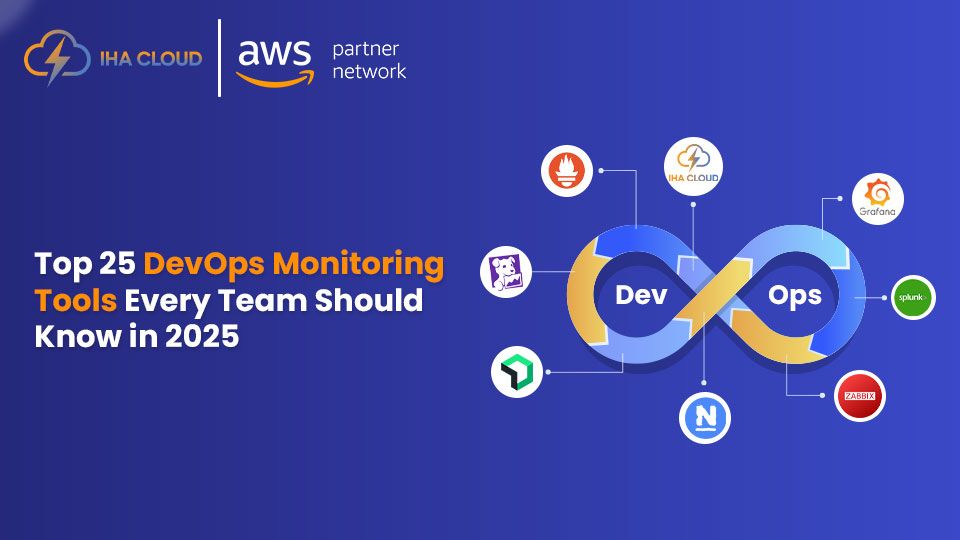
Top 25 DevOps Monitoring Tools for 2025

In today’s fast-paced digital landscape, the success of modern software delivery heavily depends on continuous monitoring, automation, and real-time analytics. As DevOps practices evolve, teams are increasingly adopting advanced DevOps monitoring tools to ensure performance, reliability, and security across their infrastructure and applications. These tools play a crucial role in helping organizations maintain visibility across every layer of their technology stack—from servers and containers to APIs and user experience. Whether you’re managing hybrid cloud environments, Kubernetes clusters, or microservices-based architectures, having the right DevOps monitoring solution can drastically improve response time, optimize resources, and prevent costly downtime. In this guide, we’ve compiled a comprehensive list of the Top 25 DevOps Monitoring Tools for 2025 that empower teams with actionable insights, automation capabilities, and AI-driven analytics. These platforms help DevOps engineers monitor, analyze, and enhance the performance of applications while enabling faster deployment and greater operational efficiency. Understanding DevOps Monitoring Tools DevOps monitoring tools are designed to help teams continuously track the health, performance, and reliability of applications, infrastructure, and networks. These tools play a crucial role in maintaining visibility across every stage of the software delivery pipeline, enabling teams to identify issues early, optimize resources, and ensure that applications run efficiently in production. In modern environments where applications are distributed across cloud, container, and hybrid architectures, real-time observability is essential. Monitoring solutions collect logs, metrics, and traces from multiple systems and analyze them to detect anomalies or performance degradation before they affect end users. Why DevOps Monitoring Matters In the DevOps ecosystem, monitoring is not just about observing system metrics — it’s about creating a culture of proactive incident prevention and continuous improvement. Without proper monitoring, even small issues can escalate into large-scale outages or costly downtime. Monitoring solutions help track performance indicators like CPU usage, memory, network latency, and error rates. They also support application-level insights, allowing developers to understand how code behaves in real-world conditions. This level of transparency enables faster troubleshooting, better scalability, and improved end-user experience. Moreover, as organizations move toward cloud-native and containerized infrastructures, monitoring becomes more complex. Modern tools address this by using machine learning and AI to automatically detect irregular patterns and send alerts before problems escalate. How DevOps Monitoring Tools Work Most DevOps monitoring platforms follow a similar workflow — data collection, analysis, visualization, and alerting. Some advanced solutions also offer automated remediation, where the system can take corrective actions — such as restarting a service or scaling a container — without human intervention. Benefits of Using DevOps Monitoring Implementing a robust monitoring strategy brings multiple benefits to both technical and business teams: Ultimately, the goal is not just to monitor but to gain actionable insights that lead to smarter decisions and a more resilient system. Trends Shaping DevOps Monitoring in 2025 The evolution of DevOps monitoring tools continues to accelerate, driven by cloud adoption, automation, and AI-powered analytics. Some key trends include: These trends highlight how monitoring has evolved from a reactive function to an integral part of the DevOps lifecycle — ensuring reliability, scalability, and continuous delivery. Comparison Table: Top 25 DevOps Monitoring Tools for 2025 Tool Name Key Features Best For Datadog Unified monitoring, APM, AI alerts, log management Full-stack observability for cloud-native teams Prometheus Open-source metrics collection, PromQL, alerting Containerized & Kubernetes environments Grafana Real-time dashboards, multi-source integration Data visualization & analytics New Relic Full-stack observability, APM, real-time tracing Performance monitoring across applications Nagios Network & server monitoring, custom plugins Infrastructure & legacy system monitoring Splunk Log analytics, AI insights, data visualization Enterprise-scale log management AppDynamics Business transaction monitoring, root cause analysis Application performance & user experience Elastic Observability (ELK Stack) Centralized logging, ML alerts, dashboards Custom log analytics & performance tracking Dynatrace AI-driven observability, dependency mapping Automated full-stack monitoring Zabbix Network, VM, and cloud monitoring Cost-effective open-source solution AWS CloudWatch AWS-native monitoring, alarms, ML insights AWS environments & hybrid infrastructure Sensu Go Event-driven monitoring, integrations, APIs Scalable, dynamic DevOps environments PagerDuty Incident response, automation, escalation Alert management & on-call DevOps teams LogicMonitor Automated discovery, predictive analytics Hybrid cloud & large IT operations SolarWinds AppOptics APM, trace analysis, affordable pricing SMBs needing real-time observability Site24x7 Full-stack monitoring, AI insights, cloud integration Unified visibility for multi-cloud systems Promtail + Loki (Grafana Stack) Log aggregation, compression, integration Efficient, Kubernetes-native log monitoring Checkmk Auto-discovery, plugin support, alerting Scalable enterprise infrastructure monitoring Sematext Monitoring Unified metrics, logs, traces, anomaly detection Cloud-native DevOps & SaaS teams OpsRamp AIOps, event correlation, hybrid visibility Large enterprises managing multi-cloud Netdata Real-time metrics, ML anomaly detection Instant insights for system health monitoring ManageEngine Applications Manager End-user monitoring, synthetic testing, AI Business app and cloud performance tracking Instana Auto-discovery, microservices monitoring Containerized & distributed architectures Sumo Logic Cloud-native log management, security insights Real-time analytics & compliance monitoring Icinga Unified alerts, hybrid support, Grafana integration Open-source hybrid monitoring solutions Here is the detailed description about the Top 25 DevOps Monitoring Tools for 2025 1. Datadog Datadog is one of the most comprehensive DevOps monitoring platforms available today, offering real-time visibility into servers, containers, applications, and cloud infrastructure. It helps teams detect and fix issues before they impact users. Key Features: Why Use It:Datadog provides deep observability and automation capabilities, making it a top choice for organizations managing multi-cloud or hybrid environments. 2. Prometheus Prometheus is an open-source monitoring solution widely adopted in DevOps ecosystems for collecting and storing metrics as time series data. It’s highly favored for Kubernetes environments. Key Features: Why Use It:Prometheus is perfect for containerized infrastructures and cloud-native DevOps workflows, providing flexibility and open-source freedom. 3. Grafana Grafana is an open-source analytics and visualization platform that integrates with various data sources, including Prometheus, InfluxDB, Elasticsearch, and AWS CloudWatch. It helps DevOps teams visualize performance metrics in real-time. Key Features: Why Use It:Grafana transforms raw data into powerful visual insights, making it indispensable for teams focusing on system health, uptime, and user experience. 4. New Relic New Relic offers a full-stack observability platform designed for developers and operations teams. It provides insights across applications, infrastructure, and

Top 25 DevOps Monitoring Tools for 2025 Read More »

15 Best CI/CD Tools for AWS (2025)

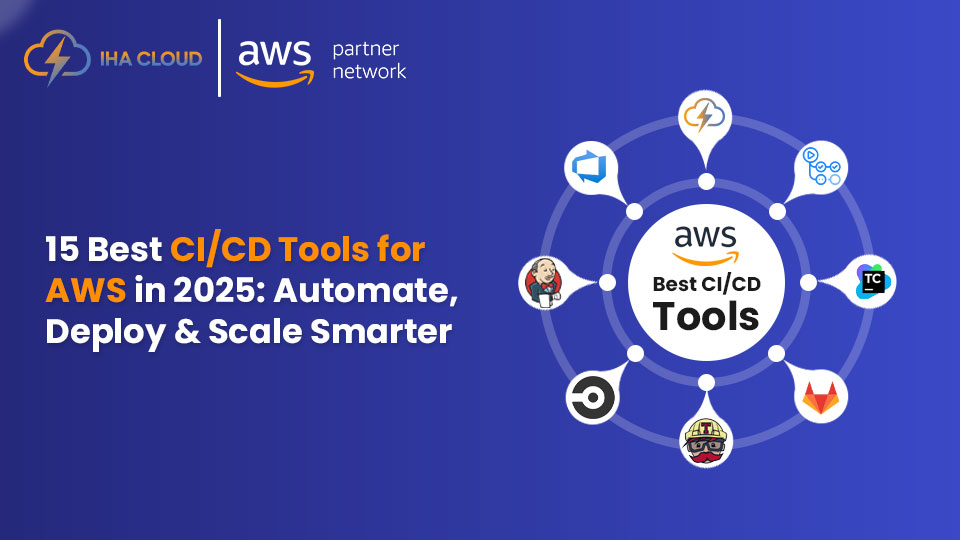
15 Best CI/CD Tools for AWS in 2025

In today’s cloud-driven software development world, automation has become the backbone of agility and innovation. Whether you’re managing microservices, deploying containerized apps, or running large-scale enterprise workloads, CI/CD tools for AWS play a critical role in streamlining code delivery and improving reliability. AWS offers a robust ecosystem for DevOps teams — from native services like CodePipeline, CodeBuild, and CodeDeploy to third-party tools like Jenkins, GitLab CI/CD, and CircleCI — all built to enhance continuous integration and continuous delivery. The right CI/CD tools for AWS help automate your build, test, and deployment pipelines, minimize manual errors, and ensure faster, more secure software releases. In this blog, we’ll explore the 15 best CI/CD tools for AWS in 2025, each offering unique features, scalability, and integration options to meet your business needs. What Are CI/CD Tools for AWS? CI/CD tools for AWS are automation platforms that help developers build, test, and deploy software quickly and efficiently in the cloud. “CI” stands for Continuous Integration, which focuses on automatically merging and testing code changes, while “CD” stands for Continuous Delivery or Deployment, which handles the automatic release of that tested code into production. These tools are designed to remove manual steps from the software lifecycle. Instead of manually uploading code, running tests, and checking servers, CI/CD pipelines take care of everything — ensuring faster updates, fewer errors, and greater consistency. When integrated with AWS, these tools connect directly to services like EC2, ECS, Lambda, S3, and CloudFormation, enabling developers to automate the entire release process within Amazon’s secure and scalable environment. Why Are CI/CD Tools Important for AWS Developers? In the AWS ecosystem, automation is key to managing complex applications and microservices. CI/CD tools make this process smoother by: How Do CI/CD Tools Work on AWS? The CI/CD process on AWS generally follows a structured workflow: What to Look for When Choosing CI/CD Tools for AWS When selecting the right CI/CD tool, it’s important to focus on key capabilities that align with your team’s workflow and infrastructure. Here are the top factors to consider: Why AWS Is Ideal for CI/CD Pipelines AWS offers the most complete environment for building, testing, and deploying modern applications. With services like EC2, S3, EKS, and CloudWatch, developers can create robust CI/CD pipelines that scale automatically, reduce operational costs, and enhance release speed. AWS also supports multiple development frameworks, programming languages, and DevOps tools, giving teams the freedom to choose what fits best. Whether it’s a startup deploying web apps or an enterprise managing global workloads, AWS provides the infrastructure reliability and automation power needed for smooth continuous delivery. The Future of CI/CD on AWS As businesses move toward microservices, containers, and AI-driven development, CI/CD tools for AWS are evolving rapidly. The future will bring smarter pipelines powered by machine learning, predictive analytics, and self-healing automation that can detect failures before they occur. Serverless CI/CD, edge deployments, and GitOps models are also becoming more popular, allowing developers to focus on innovation rather than infrastructure management. In short, CI/CD on AWS is moving from simple automation to intelligent orchestration — where every release is faster, safer, and more reliable. Comparison table: 15 best CI/CD tools for AWS in 2025 # Tool Name Key AWS Integration / Features Best Suited For / Use Case 1 AWS CodePipeline Native integration with CodeBuild, CodeDeploy, CloudFormation, Lambda; supports approvals & triggers Teams fully in AWS looking for managed, end-to-end CI/CD 2 Jenkins Plugins for AWS EC2, S3, CodeDeploy, Lambda; supports agents on AWS Custom pipelines with full control and plugin support 3 GitLab CI/CD Deploy to EC2, ECS, Lambda; container registry, security scanning Teams using GitLab for both SCM and CI/CD 4 CircleCI AWS integrations (ECS, ECR, Lambda), Docker support, caching High-performance CI/CD with fast builds 5 Travis CI Direct deploy to S3, EC2, Lambda; multi-language support Open source / small teams wanting hosted CI/CD 6 Bitbucket Pipelines IAM / role integration for AWS, deploy to EC2, ECS, Lambda Teams already using Bitbucket / Atlassian stack 7 GitHub Actions Marketplace AWS actions, secrets for AWS credentials, deploy to AWS services GitHub users wanting native CI/CD 8 AWS CodeBuild Fully managed build service, deep AWS integration (S3, IAM, CloudWatch) Serverless build automation within AWS pipelines 9 Spinnaker Native support for EC2, ECS, Lambda; sophisticated deployment strategies Enterprises handling complex multi-environment deployments 10 TeamCity AWS plugin support (CodeDeploy, EC2, S3), distributed agents Enterprise teams needing robust, customizable builds 11 Bamboo Integration with AWS CodeDeploy, EC2, S3 Teams already using Jira / Atlassian tools 12 Buddy AWS actions for Lambda, EC2, ECS, Beanstalk; drag & drop pipelines Mid-sized teams seeking simplicity with AWS deployment 13 Harness AI-based verification, AWS cost reporting, blue/green & canary support Enterprises focused on safe, automated deployments 14 Codefresh Kubernetes + AWS EKS / ECS support, GitOps, container pipelines Teams using containers / Kubernetes in AWS 15 AWS CodeDeploy Deploys to EC2, Lambda, on-prem, supports blue/green & rolling updates Teams wanting managed, flexible deployment automation Here is the detailed description about the best CI/CD tools for AWS in 2025 1. AWS CodePipeline AWS CodePipeline is Amazon’s native continuous integration and continuous delivery service designed to automate the release process for fast and reliable application updates. It integrates seamlessly with other AWS services like CodeBuild, CodeDeploy, CloudFormation, and Lambda, making it ideal for teams already in the AWS ecosystem. Key Features: Why Use It:AWS CodePipeline reduces release cycles and improves deployment speed by automating every stage of your software delivery process—from code commit to production deployment—directly within AWS. 2. Jenkins Jenkins remains one of the most popular open-source CI/CD automation servers and works perfectly with AWS environments. With hundreds of plugins, it allows developers to build, test, and deploy applications across EC2, ECS, Lambda, or EKS. Key Features: Why Use It:Jenkins is ideal for teams needing complete control and flexibility over their build and deployment pipelines. When paired with AWS infrastructure, it becomes a powerful automation engine for cloud-native projects. 3. GitLab CI/CD GitLab CI/CD offers a built-in pipeline solution for version control,

15 Best CI/CD Tools for AWS in 2025 Read More »

Scroll to Top