Every deployment is a moment of risk. The moment you push new code to production, you’re betting that your changes work as expected — that no edge case was missed, no dependency breaks, no configuration error slips through. One bad deployment can take your application offline, corrupt data, or degrade performance for every user.
Zero downtime deployment strategies eliminate that risk. They allow you to ship updates continuously and confidently — rolling back instantly if something goes wrong, without any user noticing. Here’s how the three main strategies work on AWS.
Why Downtime During Deployments Still Happens
Many teams still deploy by stopping their application, replacing the code, and restarting. This works in low-stakes environments but causes real problems in production:
- Users experience errors or blank pages during the update window
- Database migrations that fail leave the application in a broken state
- Rollbacks require another full deployment cycle — more downtime
Strategy 1: Rolling Deployment
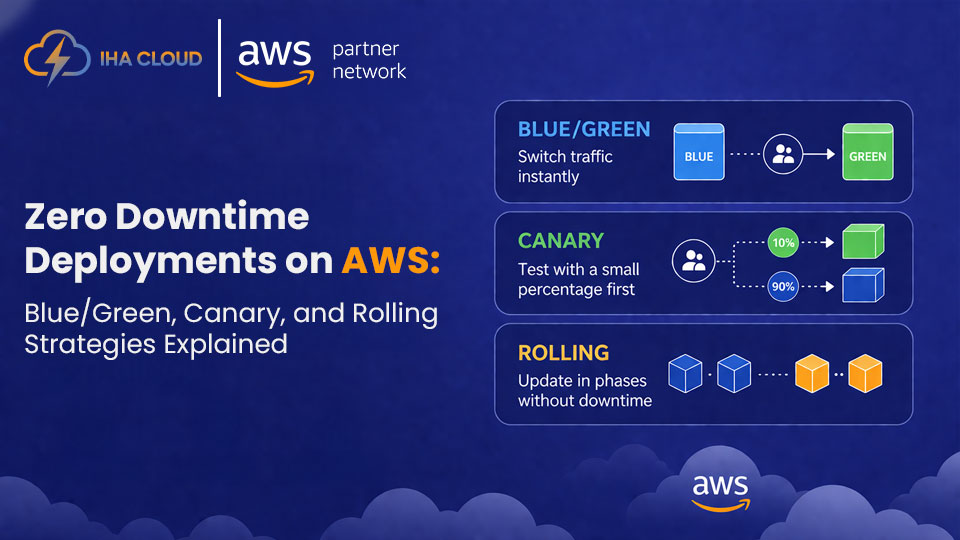
A rolling deployment gradually replaces old instances with new ones, a few at a time, until all instances run the new version.
How it works on AWS:
- AWS CodeDeploy or ECS rolling update replaces instances in batches
- At any point during deployment, some instances run old code and some run new code
- If health checks fail, the deployment pauses automatically
Best for: Applications that can tolerate brief periods of mixed versions running simultaneously — most stateless web applications.
Risk: If the new version has a bug, some users will experience it before the rollback kicks in.
Strategy 2: Blue/Green Deployment
Blue/Green maintains two identical environments — Blue (current production) and Green (new version). Traffic is switched from Blue to Green all at once, or gradually.
How it works on AWS:
- Use AWS CodeDeploy with Application Load Balancer or Elastic Beanstalk
- Deploy the new version to the Green environment while Blue serves all production traffic
- Run smoke tests and health checks against Green
- Switch the ALB target group from Blue to Green — instant cutover
- Keep Blue running for a short period; rollback is a single target group switch
Best for: Applications where you need instant rollback capability and clean version separation.
Cost consideration: You run two full environments simultaneously during deployment, which temporarily doubles compute costs.
Strategy 3: Canary Deployment
Canary deployment routes a small percentage of real production traffic to the new version — say 5% — before gradually increasing to 100%.
How it works on AWS:
- AWS CodeDeploy supports canary deployments with configurable traffic weights
- CloudWatch alarms automatically halt and roll back if error rates increase
- Use AWS AppConfig for feature flags to control canary rollout at the application level
Best for: High-traffic applications where you want to validate the new version against real user behaviour before full rollout.
Advantage: Real-world validation with limited blast radius — only 5% of users experience any issues.
Choosing the Right Strategy
Strategy | Rollback Speed | Cost | Complexity | Best Use Case |
Rolling | Minutes | Low | Low | Standard web apps |
Blue/Green | Seconds | Medium | Medium | Critical production apps |
Canary | Seconds | Medium | High | High-traffic, risk-sensitive releases |
IHA Cloud Deployment Pipeline Design
IHA Cloud designs and implements deployment pipelines on AWS that incorporate the right strategy for each workload. We set up AWS CodePipeline, CodeDeploy, and CloudWatch alarm-based automatic rollbacks so your team can deploy with confidence every single day.